Hi,
My problem is as follows:
Cornerstone Preview
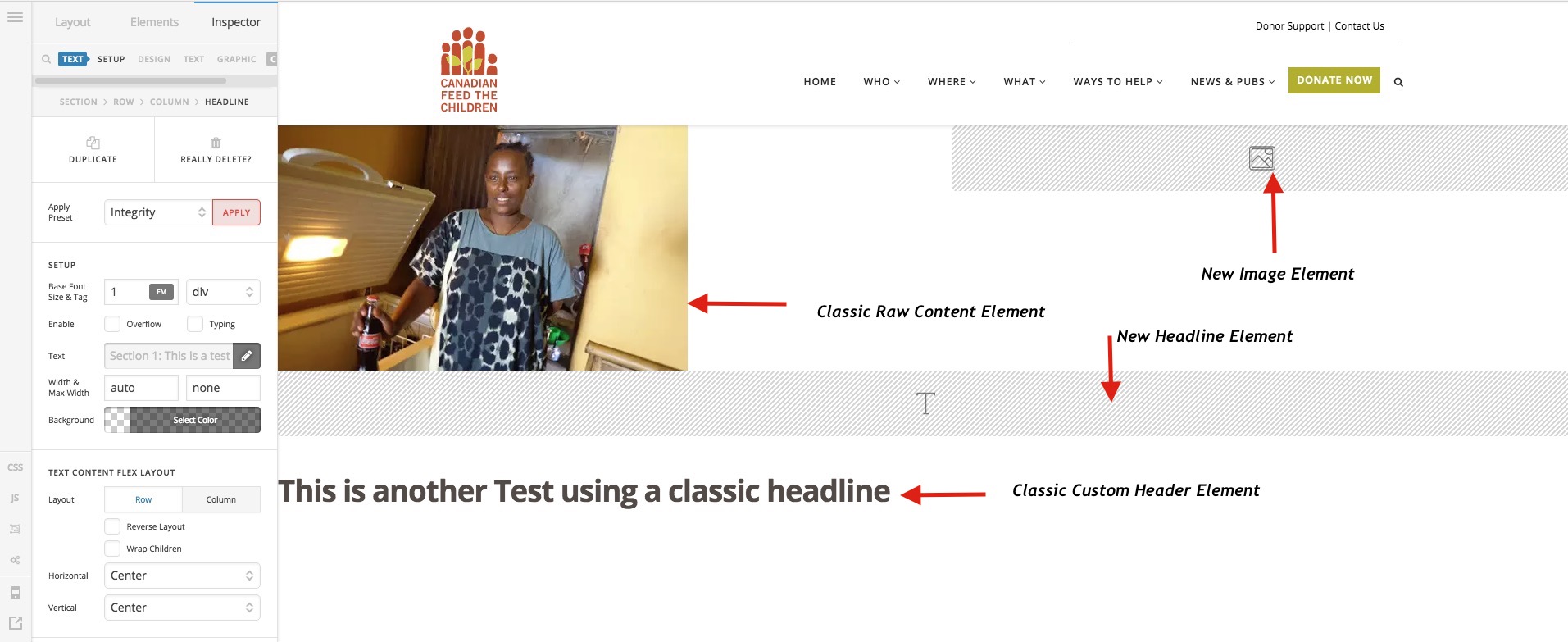
- When I add a “New” element (i.e. not a classic element) to the page it doesn’t show up in the Cornerstone preview. For example, if I add the new image element with an image selected, the image doesn’t display in the Cornerstone preview. The same goes for the new Headline element. Also, if I change the background colour of a section, this too is not reflected in the Cornerstone preview
- However, any classic elements I add to the page do show up fine. I added a classic custom headline and some raw html and both showed up within the Cornerstone preview. See the attached screenshot for more info.
Front-end
- No content from the page is displaying on the front-end. It’s a test page that you can see here - http://www.canadianfeedthechildren.ca/goats/test-page/. I’ve tested it in Chrome, Firefox and Safari and it displays a blank page in all browsers.
Please let me know if you require more information.
Cheers.
Brendan