Editing vs. Live web version look different

Hello!

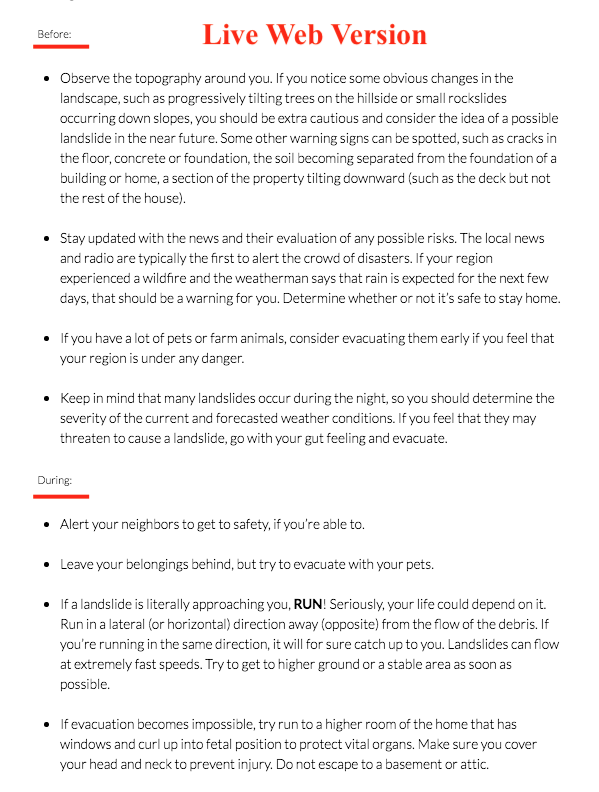
I just posted a new page to my website and noticed that the editing and live web versions look different in some places. I’ve screenshotted the problem:
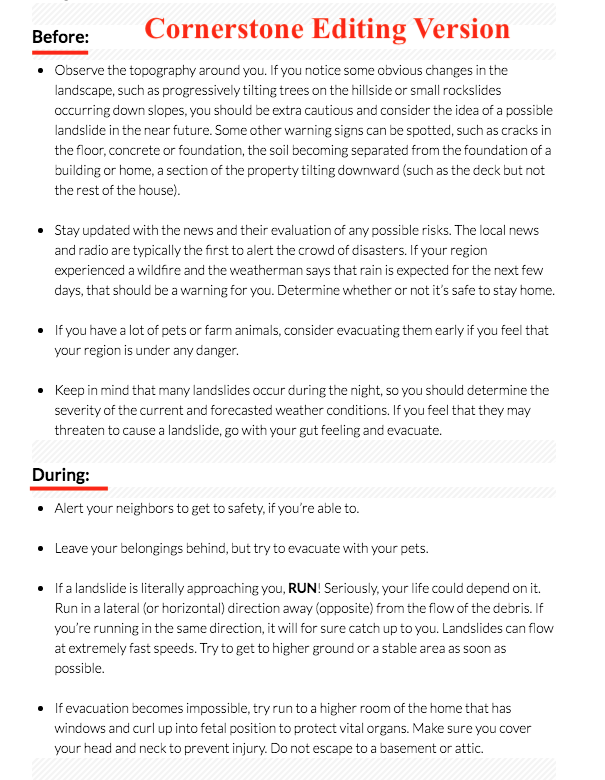
versus
and:
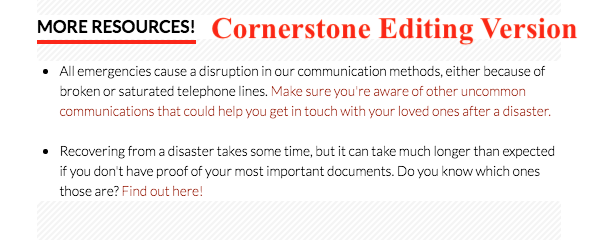
versus
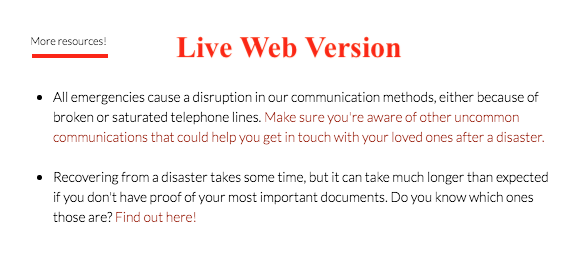
I can’t figure out why it’s appearing like this. It’s doing it only on select headlines. You can find the page here;
https://crisisequipped.com/how-to-prepare-for-a-landslide/

Thank you for your help!

Hi Nadia,

Thanks for reaching out.

Based on the code, it doesn’t seems to a headline. Though, I’m not sure about within the cornerstone builder. Would you mind providing your admin login credentials in the secure note?

Thanks!

They were all headlines but I set them to look like <p>
Some of them were working with the correct headline structures and other’s weren’t… I’m not sure why. I erased those and added new ones and they worked. Not sure why it caused a glitch but it kind of got fixed (for now).

Thanks for checking!!

Hey Nadia,

It’s good to know that it is fixed now.
Don’t hesitate to open another thread if there’s anything else we can help you with.

Cheers.

This topic was automatically closed 10 days after the last reply. New replies are no longer allowed.