Hey there, me again… I’m having a really hard time editing slides I download and I’m not sure what I’m doing wrong. I can’t select a layer to edit the text and I can’t select layers or delete layers in general.
Hi,
Would you mind providing us with login credentials so we can take a closer look? Please provide following information:
Set it as Secure Note
- Link to your site
- WordPress Admin username / password
At the mean time kindly review revslider docs
https://www.themepunch.com/revslider-doc/slider-revolution-documentation/
All the best!
Hi There,
I played around with your imported slider and could not notice anything, can you describe how we can replicate the issue?
Maybe you could turn off your optimization plugins like auto optimize as it can cause some weird issues during the developing, optimization, we recommend turn off this plugin during the development period and turn it on once you are finished with your design,
Let us know how it goes
So it looks like i was unable to edit in safari. I logged in in chrome and it allowed me to make adjustments.
Now, I’m having an issue with the mobile displaying a neon color on my button I created. I can’t seem to find out where this is to edit in the slider.
Hi,
Can you provide us a screenshot of the button you are referring to.
I can’t seem to replicate the issue on my end.
Thanks
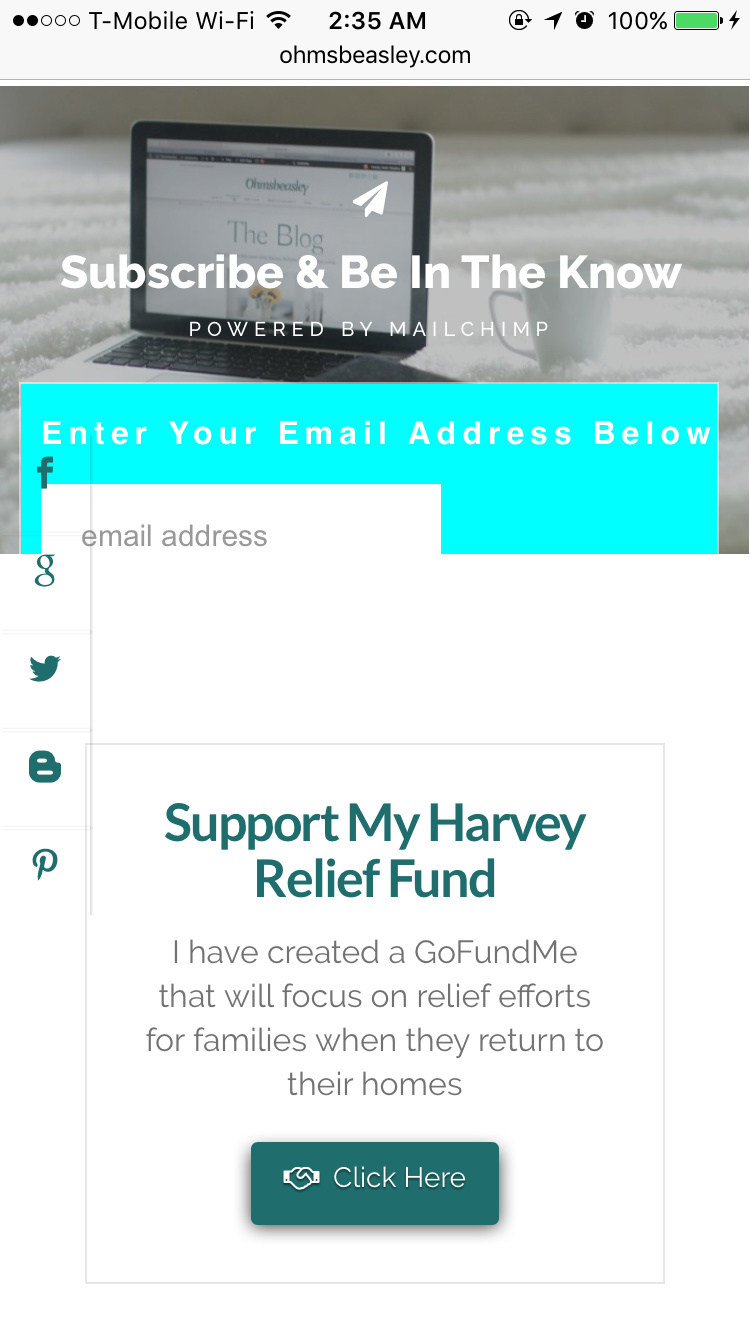
Hi There,
That seems to be being caused by the MailChimp code you are using on Revolution Slider.
It also seems to be not compatible with Rev Slider as it is not functional on Chrome PC on the front end.
I would recommend you find another way to embed your form.
You X Email Forms and paste the shortcode generated in the text element of Revolution Slider.
Hope it helps
1 Like
It didn’t help. after placing the shortcode and saving it i’m only seeing the code itself and no form is displaying.
Hello There,
I am seeing this:

If you want to change the color of the button, please add the following CSS code in the X > Launch > Theme Options > Global CSS (http://prntscr.com/evui3r)
body #mc_embed_signup input#mc-embedded-subscribe,
body #mc_embed_signup input#mc-embedded-subscribe:focus {
    background-color: red;
    box-shadow: none;
    padding: 4px;
    height: auto;
}
Please let us know if this works out for you.