Hello,
I’m using the Ethos 1 stack.
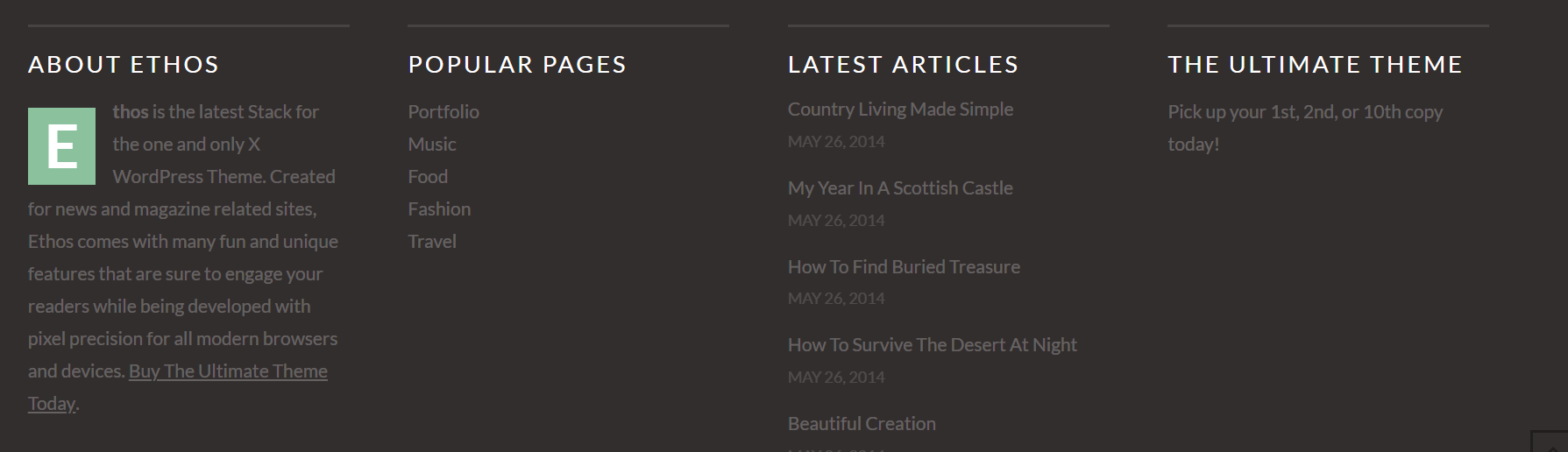
How/where can I define and edit the footer content to have a result like this:
Thanks for your help,
Hello,
I’m using the Ethos 1 stack.
How/where can I define and edit the footer content to have a result like this:
Thanks for your help,
Hi There @Kimamori
Thanks for writing in! Head over to X -> Theme Options -> Footer area and enable Footer Widget Areas with any number of available columns that you like.

Then you can add content to it by head over to Appearance -> Widgets area. You will see Footer 1 to Footer 4 sections which you can use to drag & drop widgets on top of them.
Hope that helps.
This topic was automatically closed 10 days after the last reply. New replies are no longer allowed.