Hi all,
How do I edit font and color and size for my headline image in my top banner?

Hi all,
How do I edit font and color and size for my headline image in my top banner?
Hello @caseyv22,
Thanks for asking. 
Can you let us know the website URL as I checked the URL from licence manager page and don’t see a website that would resonate with the screenshot?
As some possible solutions, you can use Google Chrome dev tools to find out the relevant class and then use color, and font size property to change the styling. Here’s some resource that you can take a look.
Dev Tools: https://developers.google.com/web/tools/chrome-devtools/
CSS Font size: https://www.w3schools.com/cssref/pr_font_font-size.asp
CSS Color: https://www.w3schools.com/css/css_colors.asp
In case you are using Revolution Slider to display banner then please take a look at following screencast.
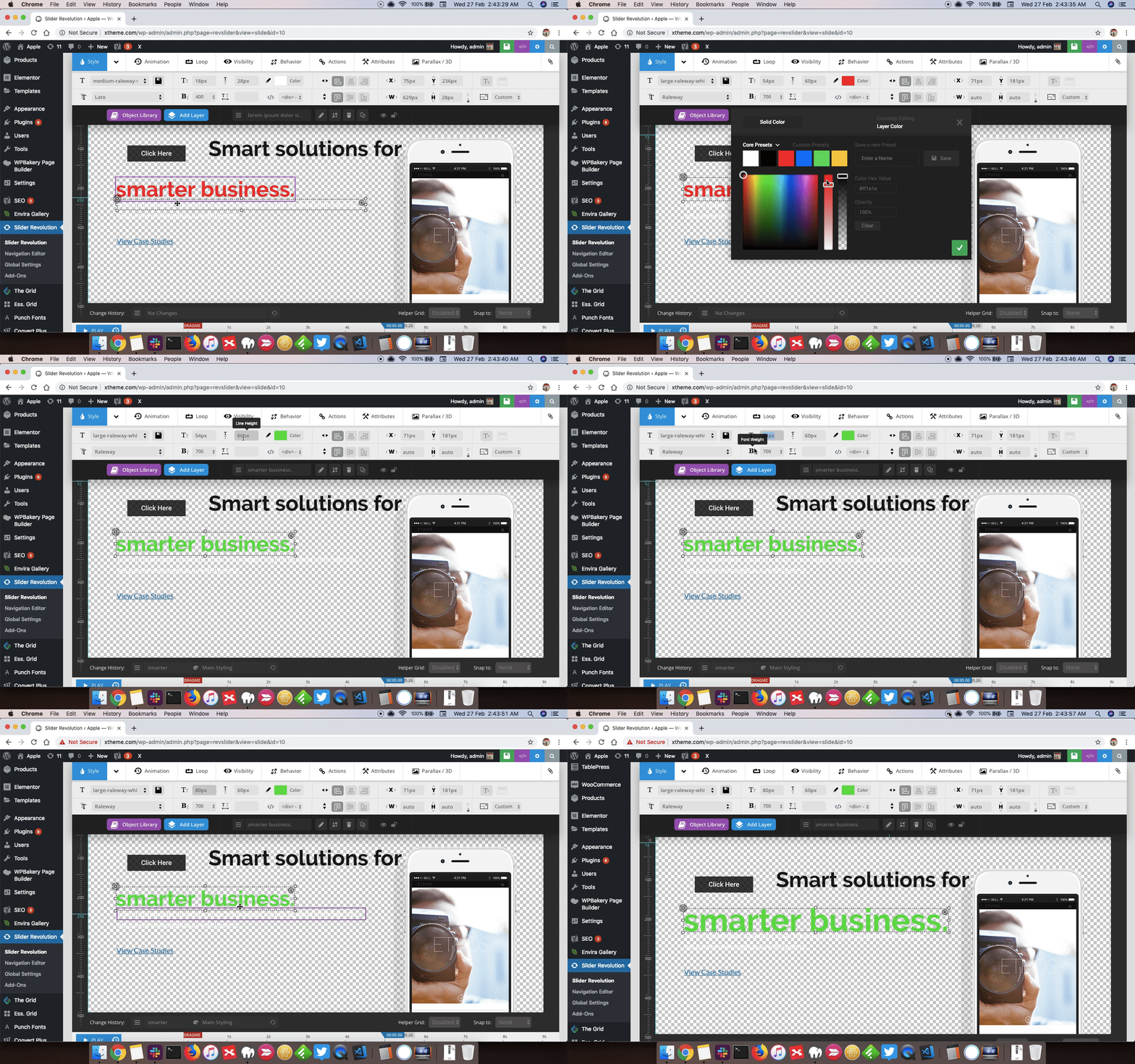
Thanks.
This topic was automatically closed 10 days after the last reply. New replies are no longer allowed.