Hi - I’m new to X Theme, using it now, I found in the Customizer where to edit global button settings. However I can’t find where to edit the font inside the button itself? Right now the font is shadowed and I don’t want that, just a normal font. Where do I edit that?
Hey @darrenpierce78,
Are you using the Classic Button element. If so, there’s no option to disable the text shadow. You need to put this code in your Global CSS to remove it.
.x-btn, .button, [type="submit"] {
    text-shadow: none;
}
If you’re using the new V2 Button element, you can make the text shadow transparent.
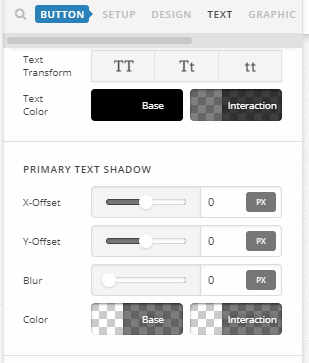
Thanks.
This topic was automatically closed 10 days after the last reply. New replies are no longer allowed.