E&P forms date difference from specific date

I want to create an early bird discount which offers a lower price if completing the form before a specific date.

I have followed all the examples for date difference calculation as well as setting a specific date in a datepicker - but its just not working.

The example uses a custom calculation like this:

 if(([item-325_date] <'June 15, 2019') ) {
10
} 

Which should give 10 off the total price if the date selected in less than June 15th, 2019. But it always gives the discount - which means the formula is always proving true.

Is there an issue in the datepicker or does the date have to be written a different way?

If I try to use the date difference function, how do I enter the early bird date for the calculation? (in the example below 323 is a sample datepicker for testing and the formula works – but I need that date to be a fixed date already set.

[dateDifference-currentDate_323]

Thanks for your help!

Hi @edit4ever,

Please try using this custom calculation instead:

if(([item-325_date] <'June 15, 2019') ) {
     [item-48_price] = 10;
}

Don’t forget to replace the 48 number with your item number.

For more information, please take a look at this:

http://www.wordpress-estimation-payment-forms.com/documentation/#calculations

Hope it helps :slight_smile:

Thanks - but that calculation does not work - I still think the date format is what is broken. If I pull the [item-325_date] value it shows as just the year. So something is not quite right in the format.

Hi @edit4ever,

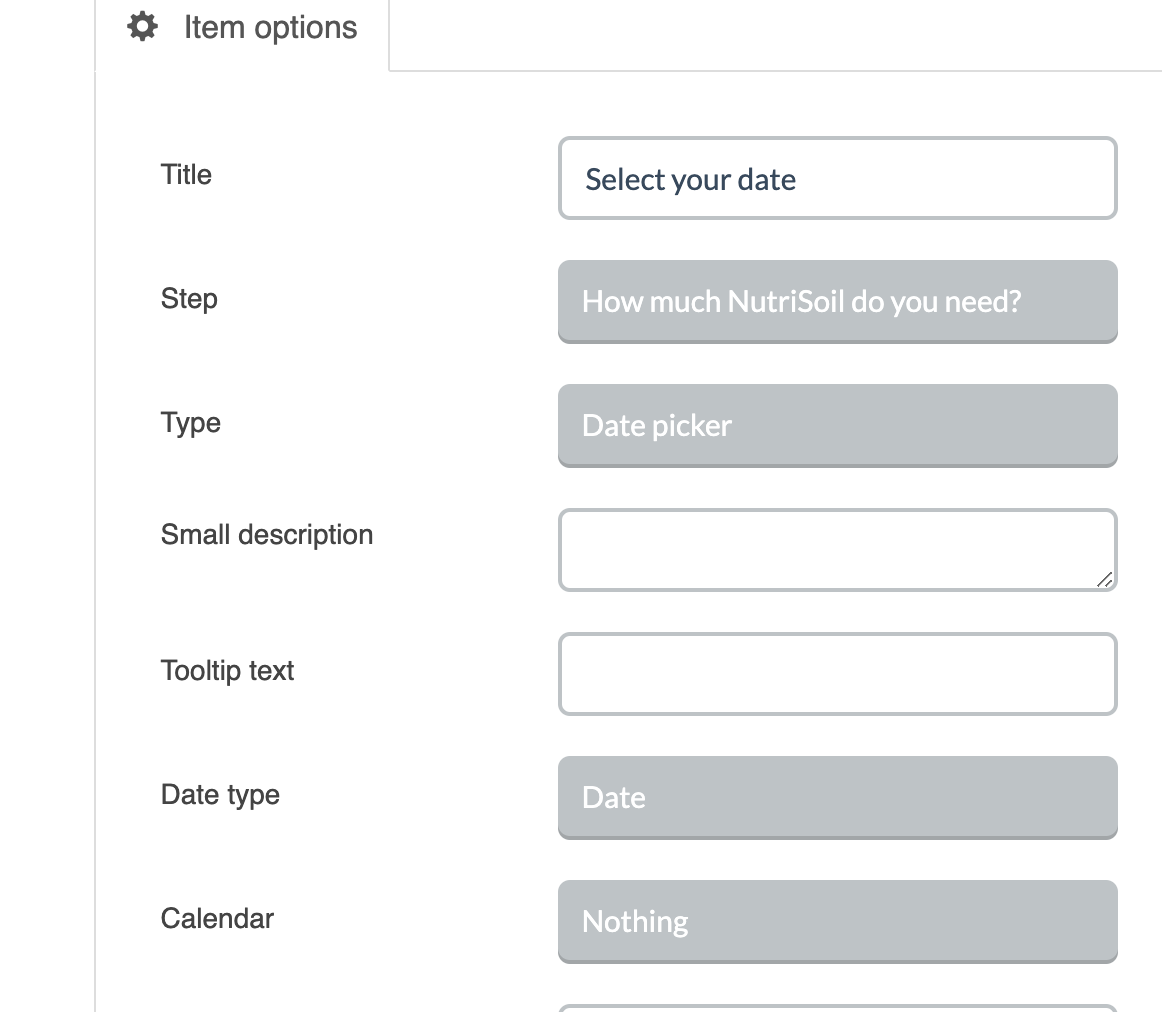
Make sure the date type is Date:

If it still doesn’t work, please provide us with login credentials(by clicking on the Secure Note button at the bottom) so we can take a closer look? To do this, you can make a post with the following info:

  • Link to your site
  • WordPress Admin username / password

Thanks.

This topic was automatically closed 10 days after the last reply. New replies are no longer allowed.