Hello, I would like to add more space between buttons for the E&P form.
How do I do that?
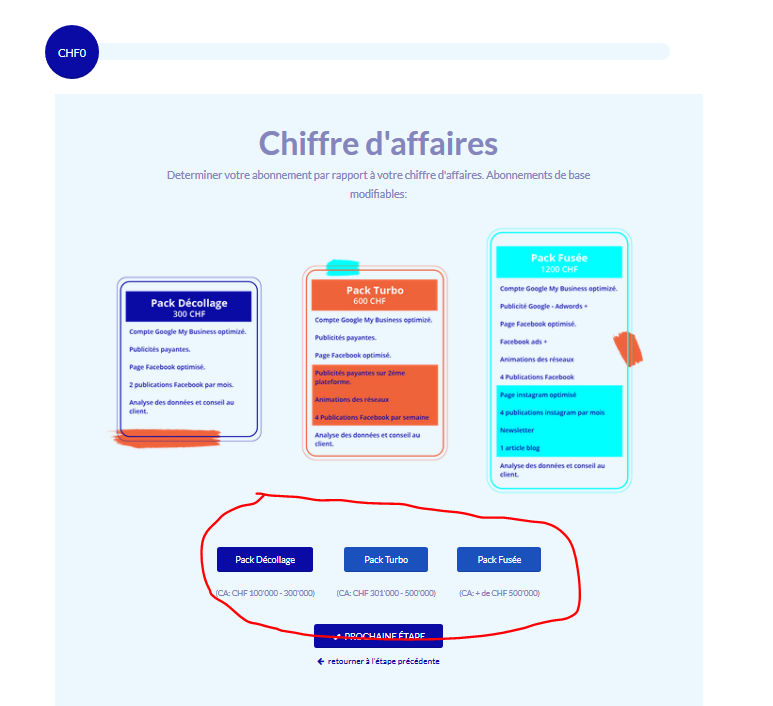
Hello, I would like to add more space between buttons for the E&P form.
How do I do that?
Hello Gavin,
Thanks for asking. 
You can add following CSS under X > Theme Options > CSS:
#estimation_popup.wpe_bootstraped #mainPanel .genSlide .genContent .lfb_btnContainer {
    padding-left: 30px;
    padding-right: 30px;
}
Please change the values as per your requirement.
1- I have found the proper CSS code selector using the Chrome browser Developer Toolbar: https://www.youtube.com/watch?v=wcFnnxfA70g
2- For the CSS code itself, I suggest that you get started with this tutorial: https://www.youtube.com/watch?v=yfoY53QXEnI
Thanks.
This topic was automatically closed 10 days after the last reply. New replies are no longer allowed.