Duplicate a licensed theme and just change the license key

Hello. I am quiet new to Xtheme. This is our current scenario:

We bought a single license of Xtheme
We added the license to the theme and its running in production environment
We did customization to the child-theme and added content to the database.
We would like to copy the whole wordpress project directory + database and paste it on another server with a different domain. Then buy a new license and apply it on the second copy on the other server.
My questions:

  1. Are we taking the right approach for cloning the website? We don’t want face any licensing issues?
  2. How can we add a different license to a Xtheme that already has a license?

Thank you in advance.
Hi razorrank,

This workflow sounds good to me, good luck!

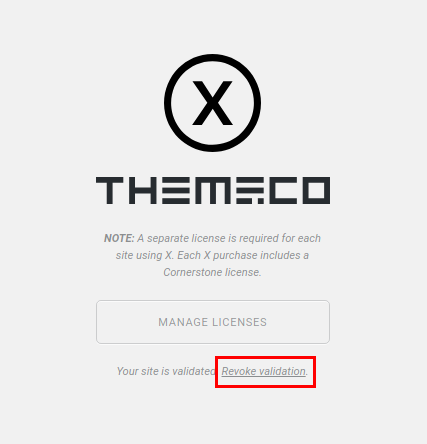
You can revoke the validation from (X > Validation > Revoke validation) (scroll down the page to see it) check this screenshot:

Thanks.

When I revoke the license on the duplicated website, is it going to revoke it from the original website as well?

Hi there,

If you have two licenses and used the two different licenses to validate the the domains you have and chooses to revoke the validation on one of the domain, it will only revoke the validate for that specific domain.

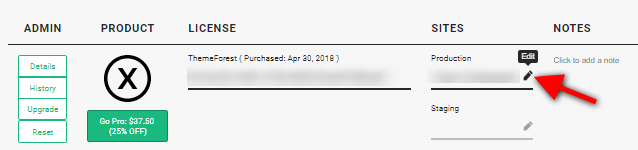
Also, please note that you can have a production (live site) and staging (development site) urls for each license. So if you plan to do the development on one copy of the site and make the main domain the live site, you can just make use of one license and indicate which domain is the production and staging site from your licenses page.

Hope this helps.

This topic was automatically closed 10 days after the last reply. New replies are no longer allowed.