Drop down menu hovers over top-line menu item

I’m having some issues with the header menu of our Members Portal website (http://members.carbonmarketinstitute.org/), in particular the drop down list on the ‘Community’ menu item, which on hover, covers the top line item completely.

Ideally, when you hover over the ‘Community’ menu item, the drop down options would appear below (rather than covering it). I’m having the same issue with the ‘Membership’ menu item on our public website (http://carbonmarketinstitute.org/).

I have recently updated x-theme and wordpress, so am wondering if that has interfered with anything (custom CSS)?

Thanks again for your awesome support!

Brad
Hi There,

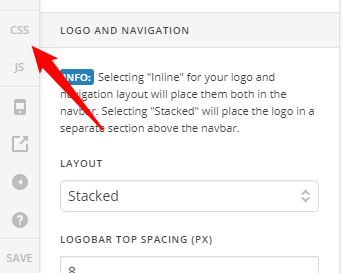
To fix this issue, please add this custom CSS under X > Theme Options > CSS:

.x-navbar .desktop .x-nav > li ul {
    top: 60px;
}

Let us know how it goes!

Hi there,

Thanks for the advice! I added the css into the Global CSS under Appearance > Customize as there wasn’t any CSS or Theme Option under the X theme tab.

Unfortunately that code didn’t make any changes.

Are there any other ideas?

Thanks!

Sorry for the confusion. Please remove the CSS. In Appearance > Theme Options > Header, Navbar Top Height must not be 0 (see Secure Note).

Theme Options > Global CSS is located in the lower left corner of the interface.

Hope that helps.

This topic was automatically closed 10 days after the last reply. New replies are no longer allowed.