Drop down menu font and bold

Hey guys! It’s me again
I am so sorry to bother but I have another little issue… I am a bit obsessed with details
In the screen shot here below you will see that the drop down menu font is different from the main menu. Can we change it to the same font ? Indie flower.

ALso I would like the whole menu font to be a little bold, because sometimes it’s difficult to read it.
is it also possible?
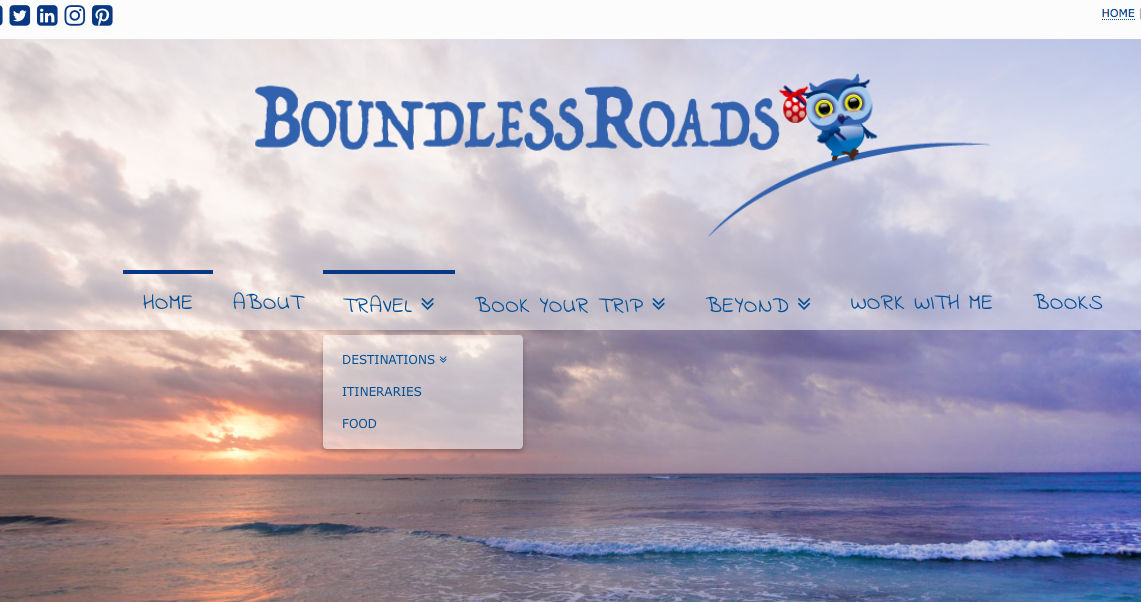
I also give you the home page www.boundlessroads.com

thanks a lot
cheers
Isabella
Hey Isabella,

Thanks for posting in! To resolve your issue,

.x-navbar .desktop .sub-menu a {
    font-family: "Indie Flower",handwriting;
    font-style: normal;
    font-weight: 400;
    letter-spacing: 0.028em;
    text-transform: uppercase;
}

Hope this helps. Please let us know how it goes.

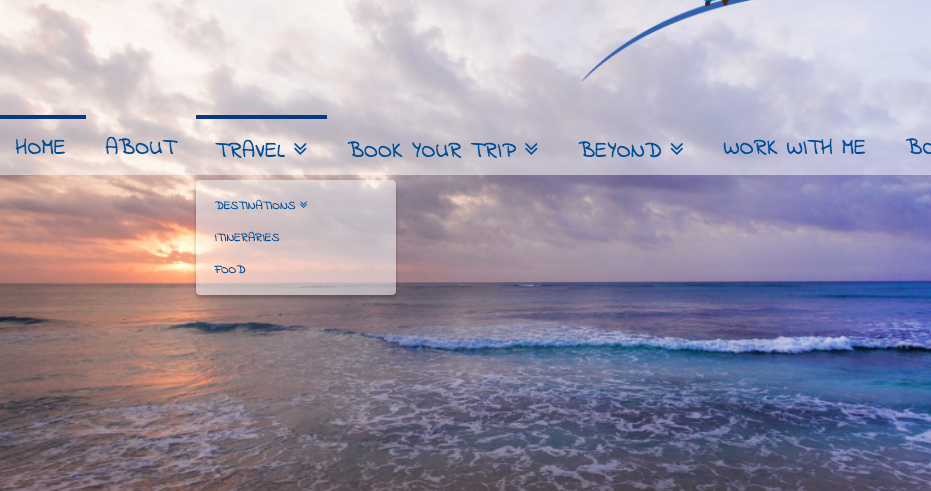
hey there! thanks a lot for the quick reply. It works fine, with the exception that the drop down menu letters are very small. I tried and change the font weight to 800 but it doesn’t change.

here a screen shot

could we have them a little bigger please? :slight_smile:

thanks a lot
appreciate it

Hey There,

Simply update the code and add a font size:

.x-navbar .desktop .sub-menu a {
    font-family: "Indie Flower",handwriting;
    font-size: 16px;
    font-style: normal;
    font-weight: 400;
    letter-spacing: 0.028em;
    text-transform: uppercase;
}

Please let us know if this works out for you.

Awesome! it did work!
thank you so much :slight_smile:

You’re welcome!
Thanks for letting us know that it has worked for you.

This topic was automatically closed 10 days after the last reply. New replies are no longer allowed.