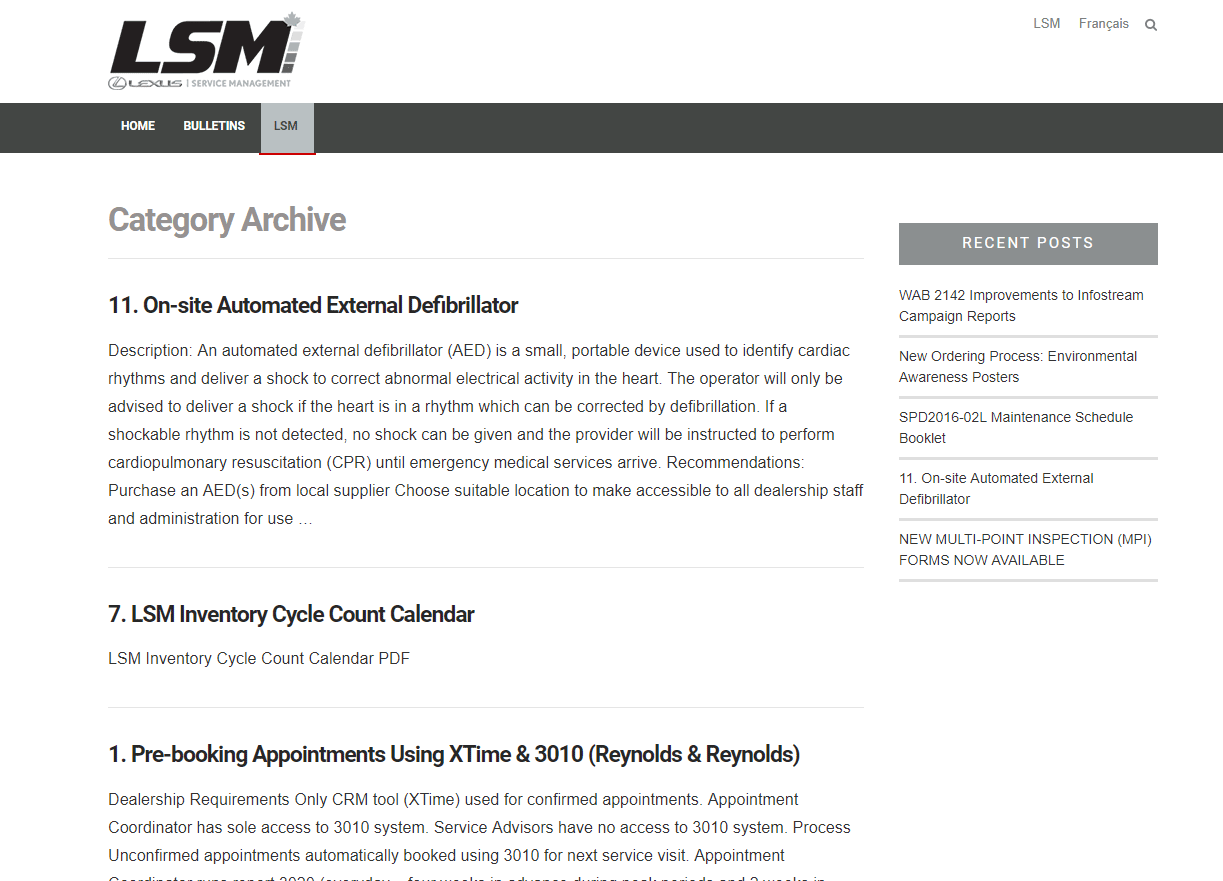
Drop Down border bottom color ethos menu

Hello

I am trying to figure out the css to change the drop down border bottom color for the ethos menu but cant seem to find the correct code. Currently there is a red color and would like to remove the color. Please see attached pic.

Thank you so much for your great support!

Hello @Reyji,

Thanks for asking. :slight_smile:

Please add following CSS under X > Launch > Options > CSS to change navigation border color:

.x-navbar .desktop .x-nav > li > a:hover, .x-navbar .desktop .x-nav > .x-active > a, .x-navbar .desktop .x-nav > .current-menu-item > a {box-shadow: 0 2px 0 0 #e9e3ef;}

Thanks.

Thanks so much for your support. It worked! I added !important to take priority and that did the trick. Have an awesome day!

You are most welcome. :slight_smile:

This topic was automatically closed 10 days after the last reply. New replies are no longer allowed.