Double H1 in Blog and Single Posts because of subscription widget

Hi there,
it seems that all my blog posts, the blog page itself, catgories and archives have two H1. I just identified an email form (subscription widget) as cause of that second H1.
This is the code from the x-widget: [x_subscribe form=“7869”]
What can I do to change that title into a h2, please?

Thank you
Karen

Hey Karen,

Thanks for writing in! The subscription widget title is set to H1 by default. To change it, you will have to manually edit the Email forms file in wp-content/plugins/tco-email-forms/email-integration/views/site/shortcode-tco-subscribe.php and in the line 128 - 130, please find this block and change the H1 to h3;

<?php if ( $show_title == 'Yes' ) : ?>
    <h3><?php echo $title; ?></h3>
  <?php endif; ?>

We would loved to know if this has work for you. Thank you.

Hi RueNel,

actually I dared to do this on my own. The string was a little different (x-Mailchimp form) but I found it. And yes i was in line 128, and YES it worked! :sweat_smile:
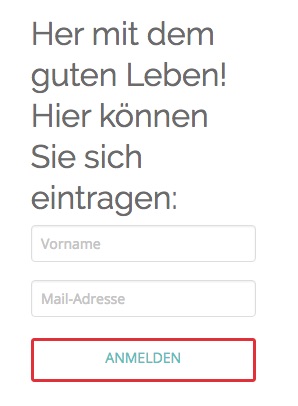
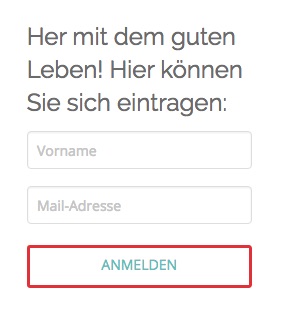
But there is a little problem left, see screenshots.
It really should be a h2. But that one is far to big. And it’s not red any more.
Second try, changed it to h4. Size is perfect - but well it’s a h4 which I don’t want.
Please could you tell me: How can I adjust the size of that h2? And how can I set the color?

Thank you, you made my saturday!
Karen

Hey Karen,

When you set it to H2 it is taking the styling of H2 from the global setting. You can insert an inline css to your tag and maybe have something like this:

<?php if ( $show_title == 'Yes' ) : ?>
    <h3 style="font-size: 18px; color: red;"><?php echo $title; ?></h3>
<?php endif; ?>

You can add more style to it if needed.

Please let us know how it goes.

Hey RueNel,
more than great! That worked perfectly - thank you very very much :smiley:
Regards, Karen

You’re welcome!
Thanks for letting us know that it has worked for you.

This topic was automatically closed 10 days after the last reply. New replies are no longer allowed.