I feel pretty silly asking this, but I didn’t seem (or can’t find) to receive Cornerstone page builder with my purchase of X. I have done everything I can do via the Stack options, but that’s it. I don’t see anyway to add all the features X advertises. I must be missing something super obvious… 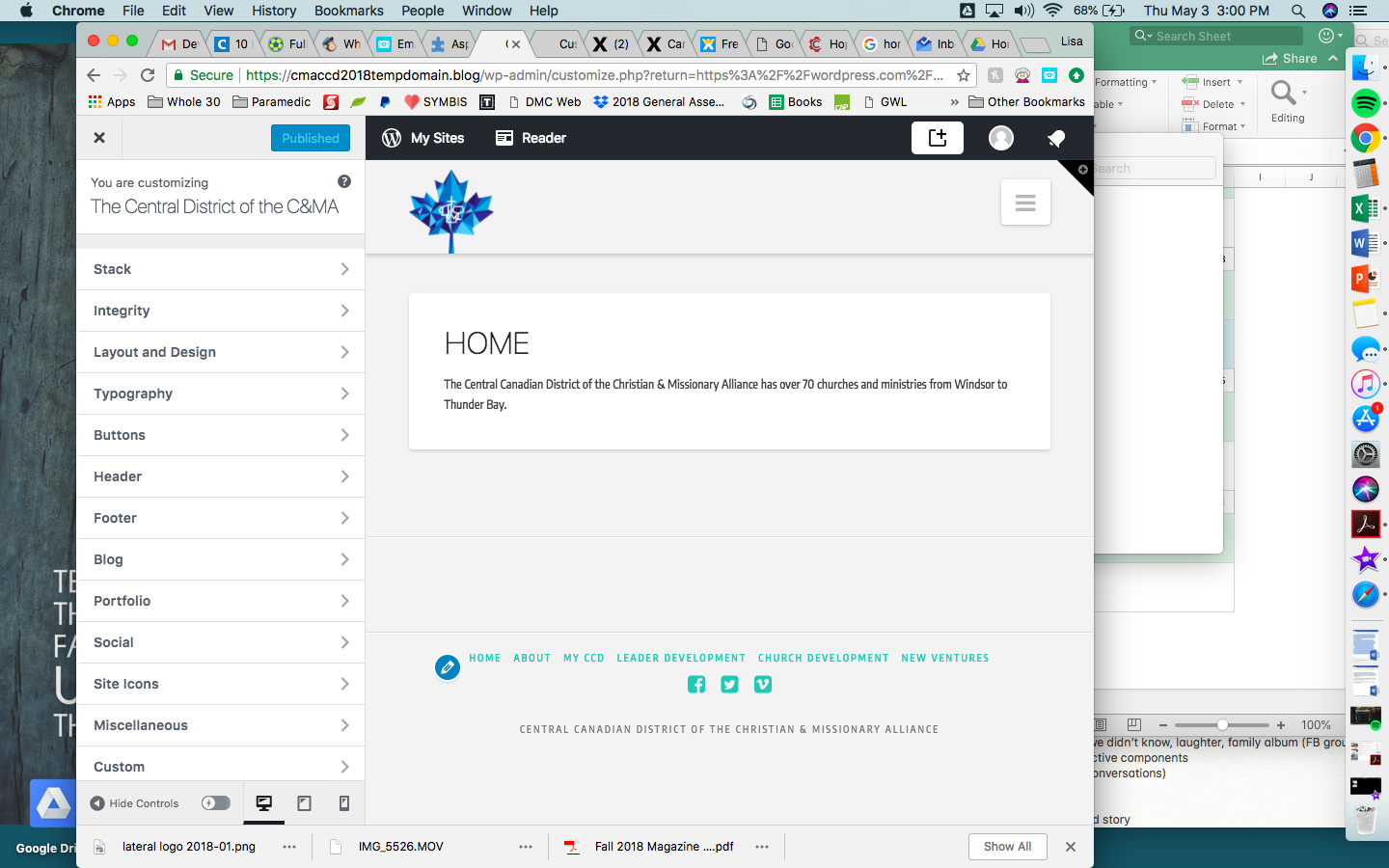
Hello @cmaccd,
Thanks for asking. 
Of-course Cornerstone exists.  All you need to do is open page/post and then click on edit with Cornerstone. Just make sure that Cornerstone is installed. Generally when you install X Theme, Cornerstone automatically get’s installed. In case you don’t see Cornerstone, please check wether or not Cornerstone is there under Plugins > Installed Plugins. In case you don’t see Cornerstone, please visit X > Validation and Cornerstone should get automatically installed. After that open pages/post and Click Edit With Cornerstone button.
Here is a screencast that I have recorded. Please take a look. https://cl.ly/2j0c0s1D362v
Having said that looking at the screenshot, it looks like you are using Customizer. I suggest you to not use the same as X Theme has it’s own theme options panel. You can access Theme Options panel from X > Theme Options. https://cl.ly/3r0a3U1t2L3T
Thanks.
Thank you so much, the videos you included are super helpful and my problem was I didn’t know how to view the dashboard you were viewing. Nothing notified me to update my website that way. I looked at you url, replaced with mine and voila! I’m in - thank you very much!
You are most welcome!
This topic was automatically closed 10 days after the last reply. New replies are no longer allowed.