Hey Guys,
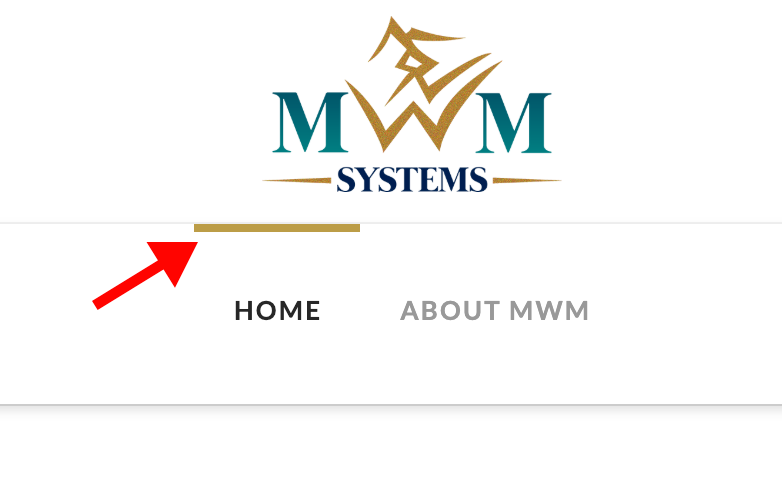
I’d like to disable the hover accents on the Integrity menu (see image). I didn’t see a setting in theme options to turn it off, so I’m wondering if there is some CSS that I can add to disable it…
Thanks!
Hey Guys,
I’d like to disable the hover accents on the Integrity menu (see image). I didn’t see a setting in theme options to turn it off, so I’m wondering if there is some CSS that I can add to disable it…
Thanks!
Hello @jonathanrockett,
Thanks for writing in!
The hover accents were designed purposely for the Integrity stack. To get rid of this, please add the following CSS code in the X > Theme Options > Global CSS (http://prntscr.com/evui3r)
.x-navbar .desktop .x-nav > li > a:hover,
.x-navbar .desktop .x-nav > .x-active > a,
.x-navbar .desktop .x-nav > .current-menu-item > a {
    box-shadow: none
}
Please let us know if this works out for you.
Thanks! Much appreciated… I decided to leave the accents as-is, but will keep this post handy for future use 
You’re always welcome Jonathan!
Cheers.
This topic was automatically closed 10 days after the last reply. New replies are no longer allowed.