I’d like to make the links that I put in text, like within posts, to be blue. But I’d like the links on my blog home page to remain black. Is there a way that I can do that?
Thanks
I’d like to make the links that I put in text, like within posts, to be blue. But I’d like the links on my blog home page to remain black. Is there a way that I can do that?
Thanks
HI,
To achieve that, you can add the code below in Theme Options > CSS
.single-post .entry-content a {
    color:blue;
}

.home .entry-content a {
    color:black;
}
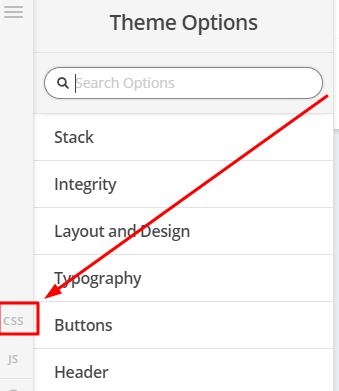
Hope this helps
This worked great, thanks for the help.
Hi Peter,
In case you want to read more info in reference to the previous suggestion, you may check these links:
Cheers!
Thanks, this worked, but there was one problem with it. I was only looking to make the links within the article text blue, and keep other things like my sidebar links black. Is that possible?
Hello Peter,
You can make use of this custom css:
.single-post .entry-content a {
    color: blue;
}
To make sure that all other links is black, please go to X > Theme Options > Typography > Site Links and select black in the color picker.
Hope this helps. Please let us know how it goes.
This worked perfectly, thanks! Had forgotten to change the typography settings to black.
You’re welcome!
Thanks for letting us know that it has worked for you.
This topic was automatically closed 10 days after the last reply. New replies are no longer allowed.