Hello,
why those two posts are shown completely different? Does this depend on different categories of blog posts? I am using Ethos.
Best regards,
–Mardas

Hello,
why those two posts are shown completely different? Does this depend on different categories of blog posts? I am using Ethos.
Best regards,
–Mardas
Hello Mardas,
Yes, this settings depends on what you set to the Index Featured Post Size and the Index Featured Post Layout options under the Ethos Posts Setting of the post.

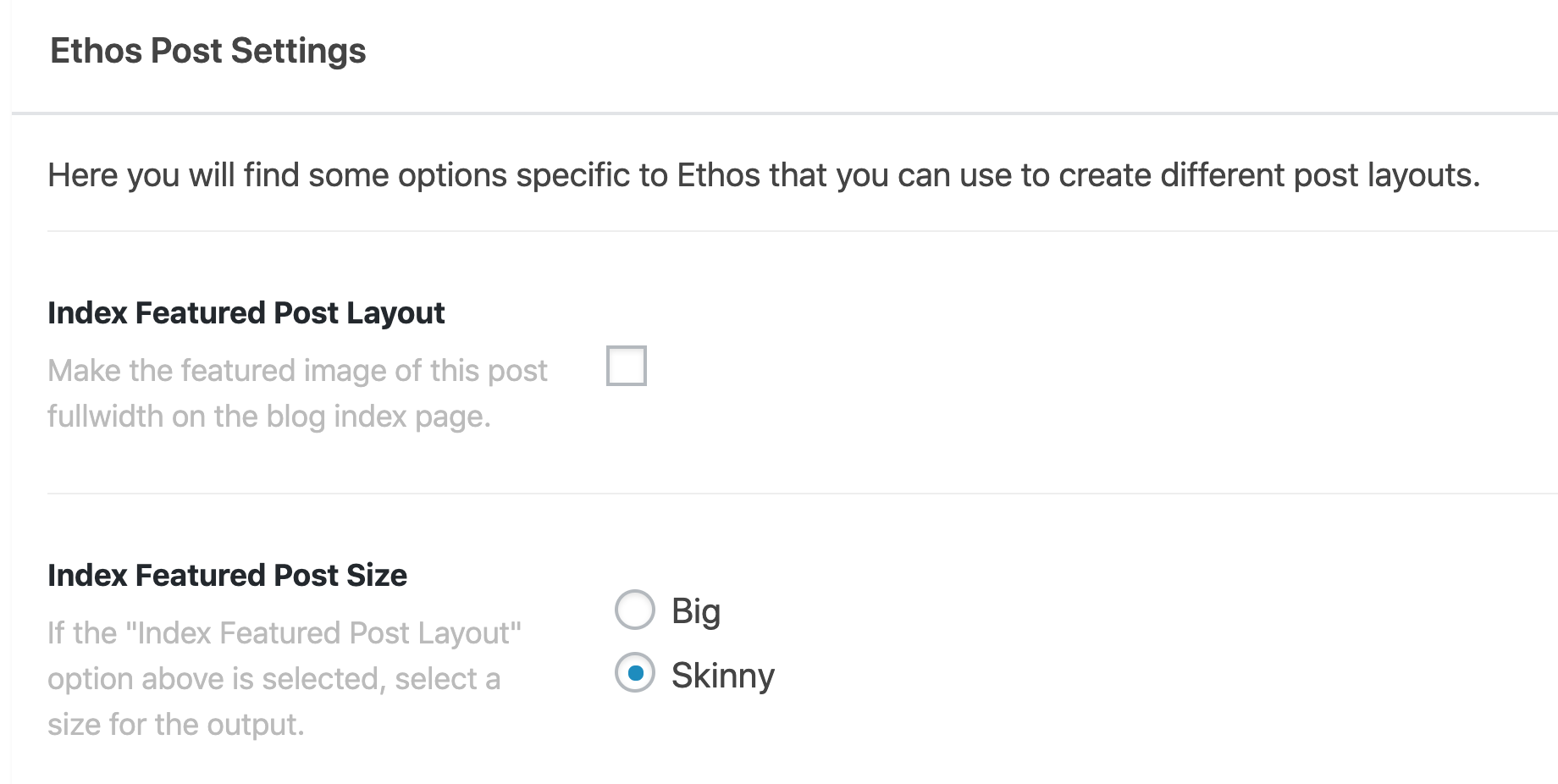
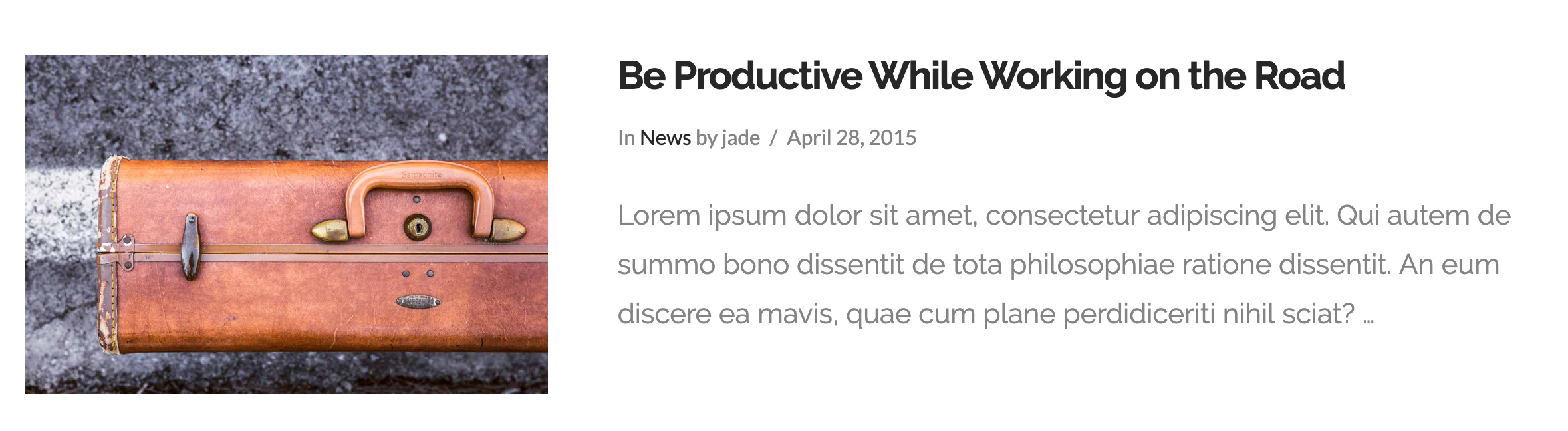
If Index Featured Post Layout is disabled in the setting of the post, then the post will look like this in the blog index pages:
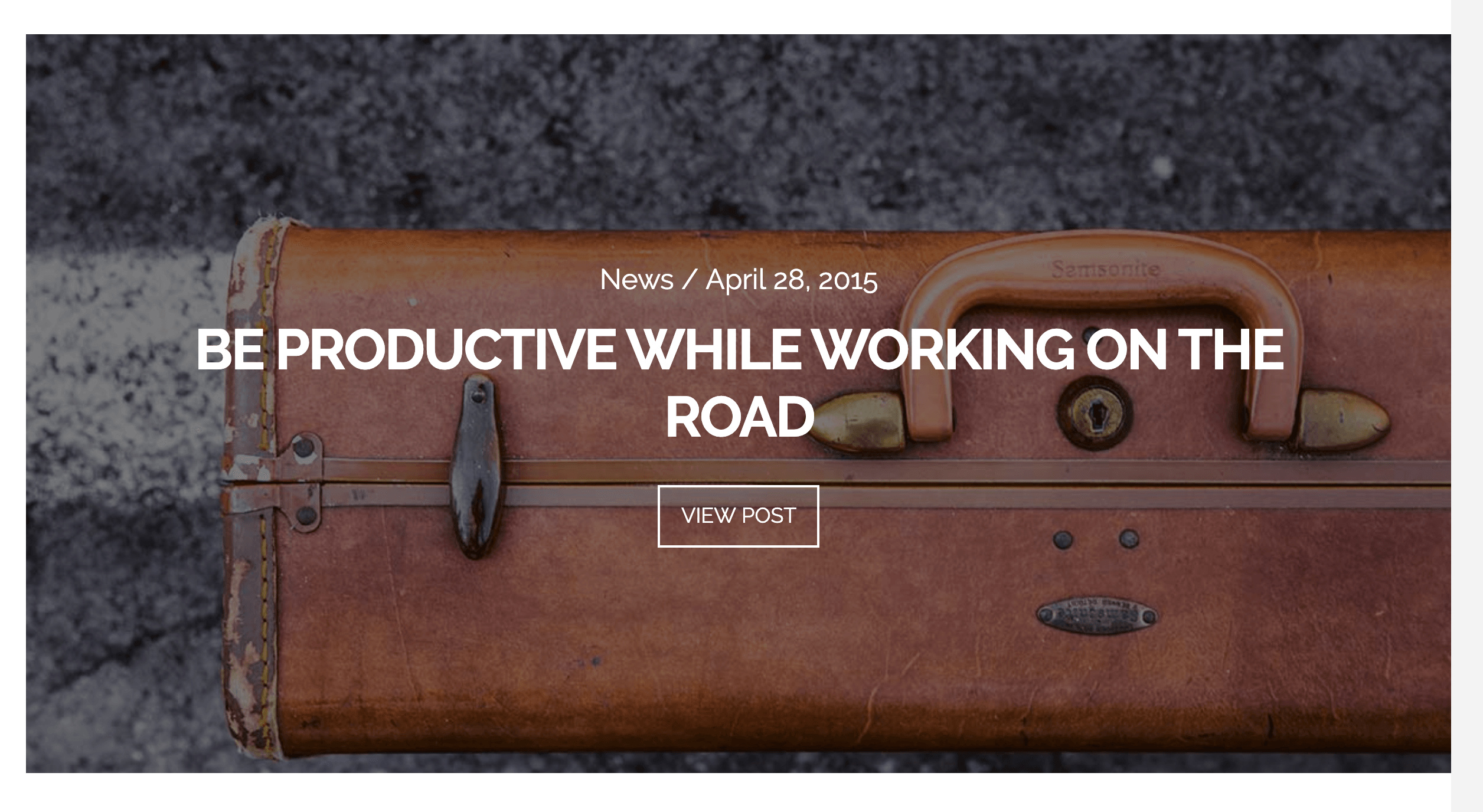
If it is enabled and Index Featured Post Size is set to Big, it will look like this:
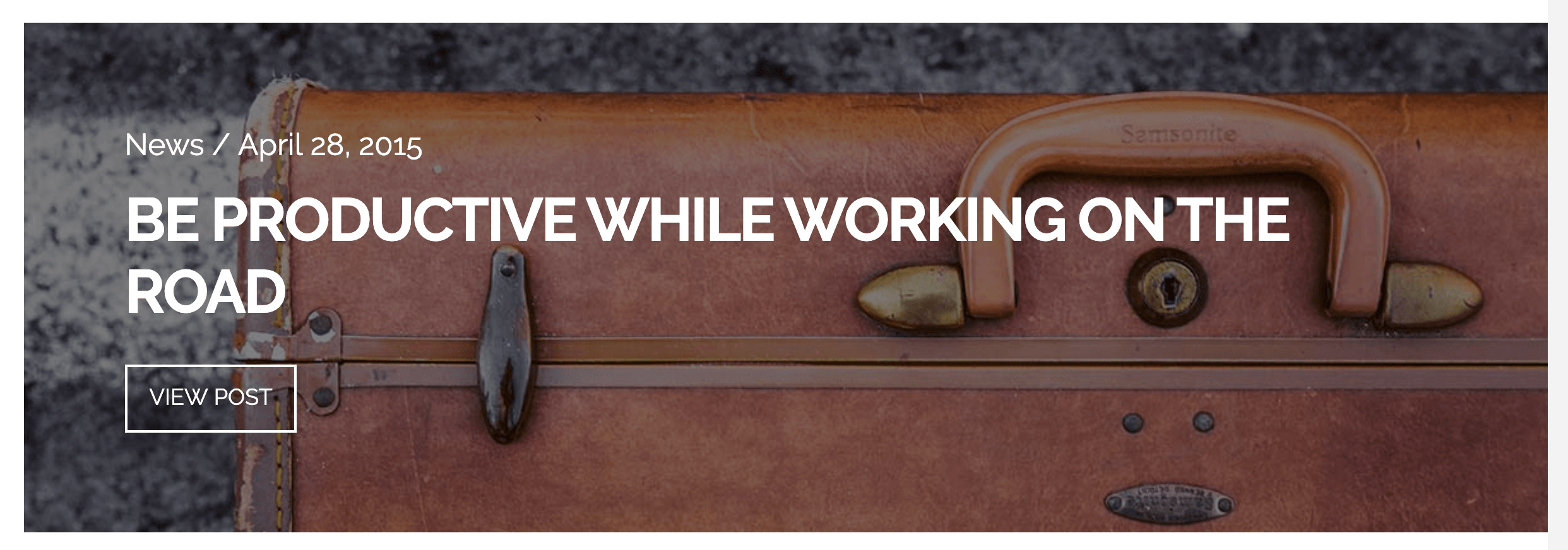
If it is enabled and Index Featured Post Size is set to Skinny, it will look like this:
Hope this explains it.
Hello,
Many thanks! This explains it very well. Just one additional question: if post settings are set to Index Featured Post Layout is it possible to have blogs listed on the blog page in more than one column?
It would be great to apply a shadow effect, too. Is this possible?
Best regards,
–Mardas
Hi Mardas,
If you enable the Index Featured Post Layout, it will set the image fullwidth so having two columns in that setup is not possible without customization which goes beyond the scope of our support.
Hope this helps.
This topic was automatically closed 10 days after the last reply. New replies are no longer allowed.