Design error in X's BuddyPress theme?

Hi,

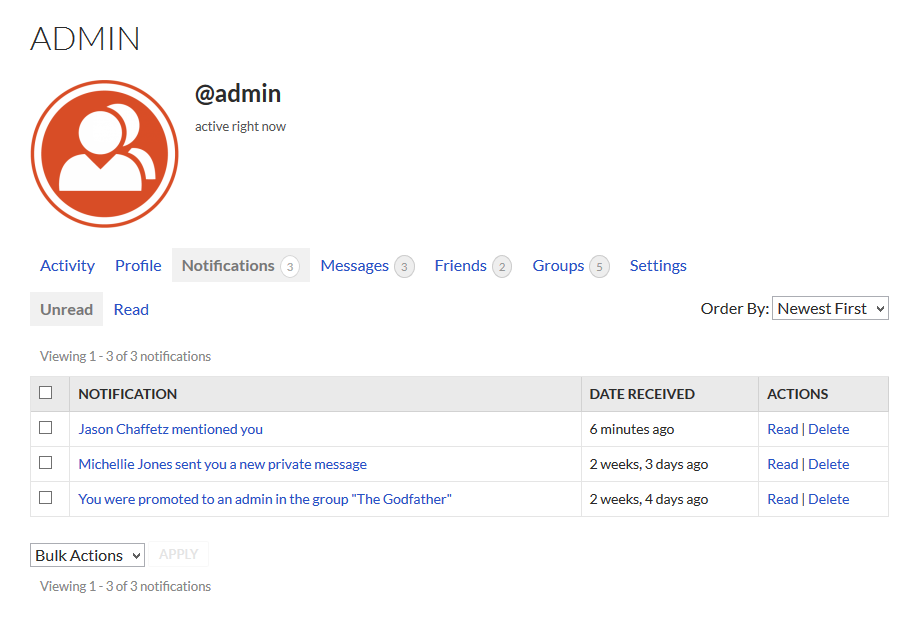
Apparently BuddyPress has the ability to bulk delete Notifications. See this screenshot what it looks like:
However, this is what it looks like in my X-themed website:
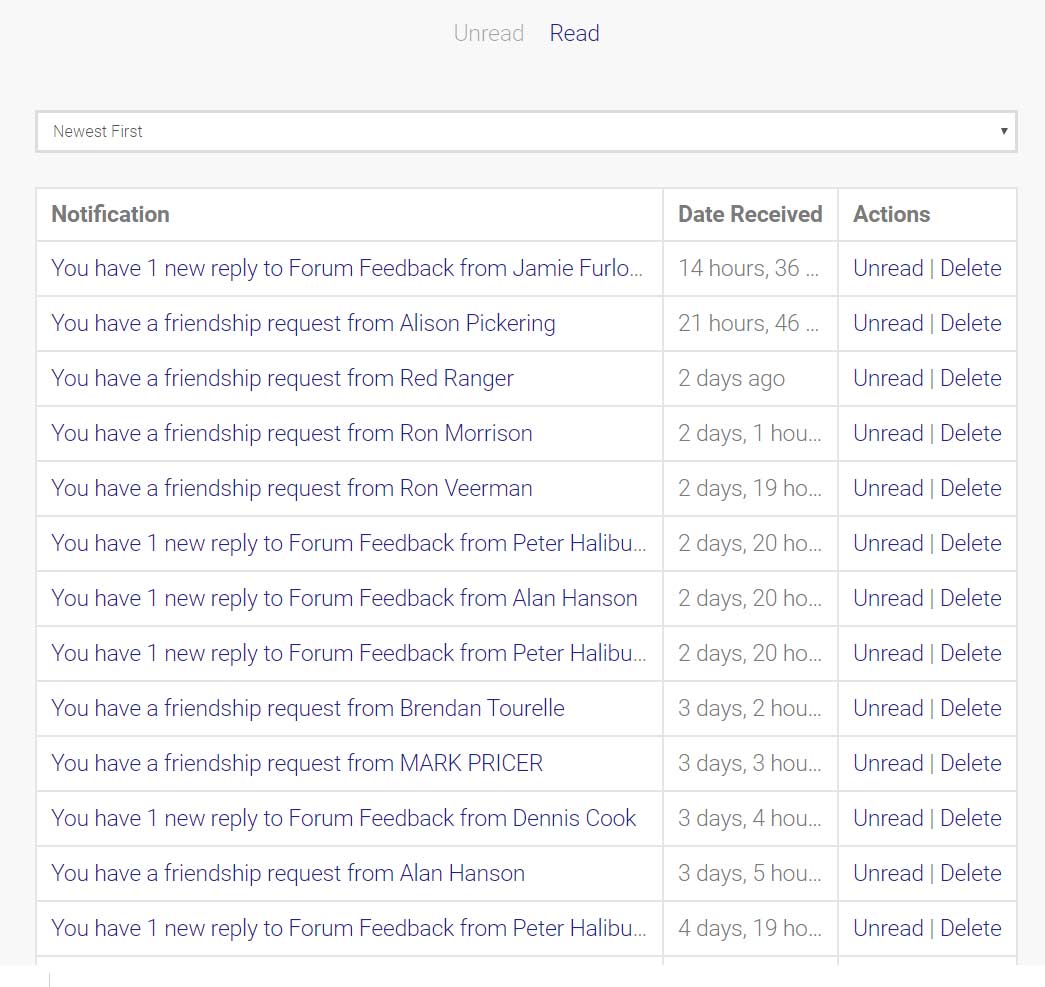
Am I missing something here? Do I need to turn something on or is this an error in the styling of BuddyPress by X?
Hi @demonboy,

Thanks for reaching out.

I checked and it’s by design on X theme’s template for Buddypress. It’s intentional but you can always put it back by removing the file notifications-loop.php in /wp-content/themes/x/buddypress/members/single/notifications/ folder. OR, if you don’t wish to remove anything then you can just copy the original template file notifications-loop.php from \wp-content\plugins\buddypress\bp-templates\bp-nouveau\buddypress\members\single\notifications\
to child theme’s /wp-content/themes/x-child/buddypress/members/single/notifications/ folder.

Hope this helps.

Hi @Rad,

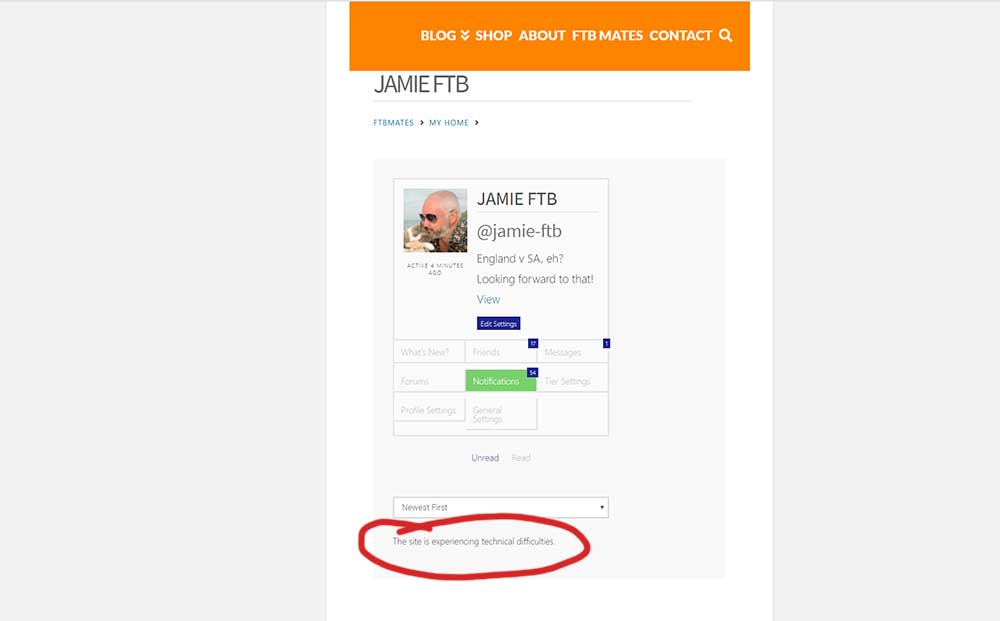
Deleting a file from the core X theme isn’t ideal so I went for the second option of adding it to my child theme. I tried this twice and both times it crashed my site, squishing everything and returning a ‘This site is experiencing technical difficulties’.

Hi @demonboy,

Ah, sorry about that. It should be legacy template, the correct file that you should copy is this

\wp-content\plugins\buddypress\bp-templates\bp-legacy\buddypress\members\single\notifications\notifications-loop.php

and not this

\wp-content\plugins\buddypress\bp-templates\bp-nouveau\buddypress\members\single\notifications\notifications-loop.php

There are two sets of templates within Buddypress.

Thanks!

Great, that’s the one, thanks.

You are most welcome!

This topic was automatically closed 10 days after the last reply. New replies are no longer allowed.