Design Cloud Elements - Quick Access

Hi,

I would like to design something similar to https://demo.theme.co/designcloud/content/quick-access/ with the rounded images and the icons below. How can I find out what elements were used for this design without installing this template?
Screenshot 2021-03-04 at 14.32.45 !

Thanks for any feedback.
All the best,
Franziska

Hello Franziska,

Thanks for writing to us.

Yes, you can achieve it by using our element since we have also created it by using our element.

Please follow these steps

  1. Add a section with Grid element or Row with 3 column

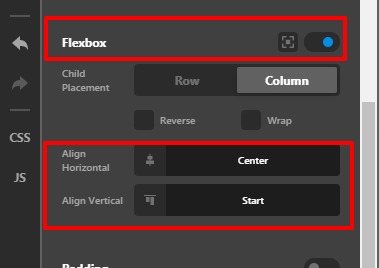
  2. Set the Flexbox as “ON” and then Align Horizontal as “Center”, Align Verticle as “Start”
    SERVICES-Content-Pro

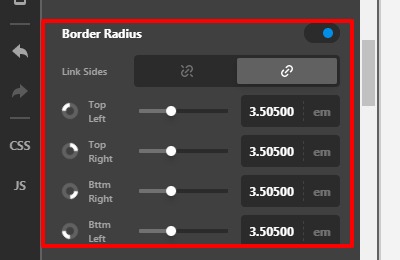
  3. Add an Image element and set the image. Now set the border-radius as per your design
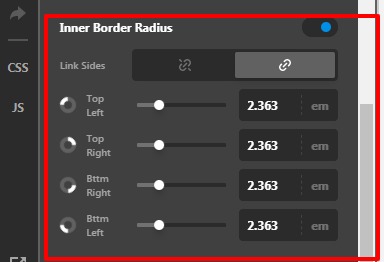
    SERVICES-Content-Pro

  4. Add a button element.

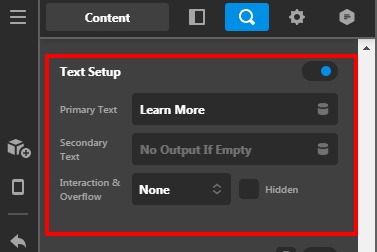
  5. Add button text
    SERVICES-Content-Pro

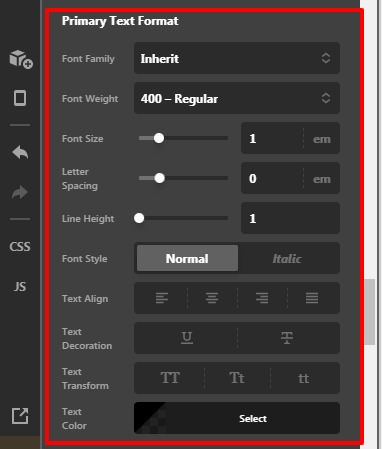
  6. Format text from here
    SERVICES-Content-Pro

  7. Add button background colour from here
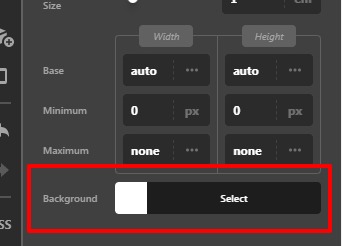
    SERVICES-Content-Pro (1)

  8. Add the icon from the graphic settings
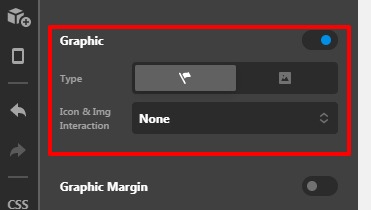
    SERVICES-Content-Pro (1)

  9. Set the padding for the button and then set the margin to -30px or as per your design so that the button align on top of the image.

  10. Set the border radius of the button.
    SERVICES-Content-Pro (1)

Hope it helps
Thanks

thanks so much! I will try this out.

Hi Jan,

You’re welcome and it’s our pleasure to help you. If you have any other concerns regarding our theme features, feel free to reach us.

Thank you.

This topic was automatically closed 10 days after the last reply. New replies are no longer allowed.