Hey , I am trying to achieve this . can any one give me a guide how I can do it . thanks 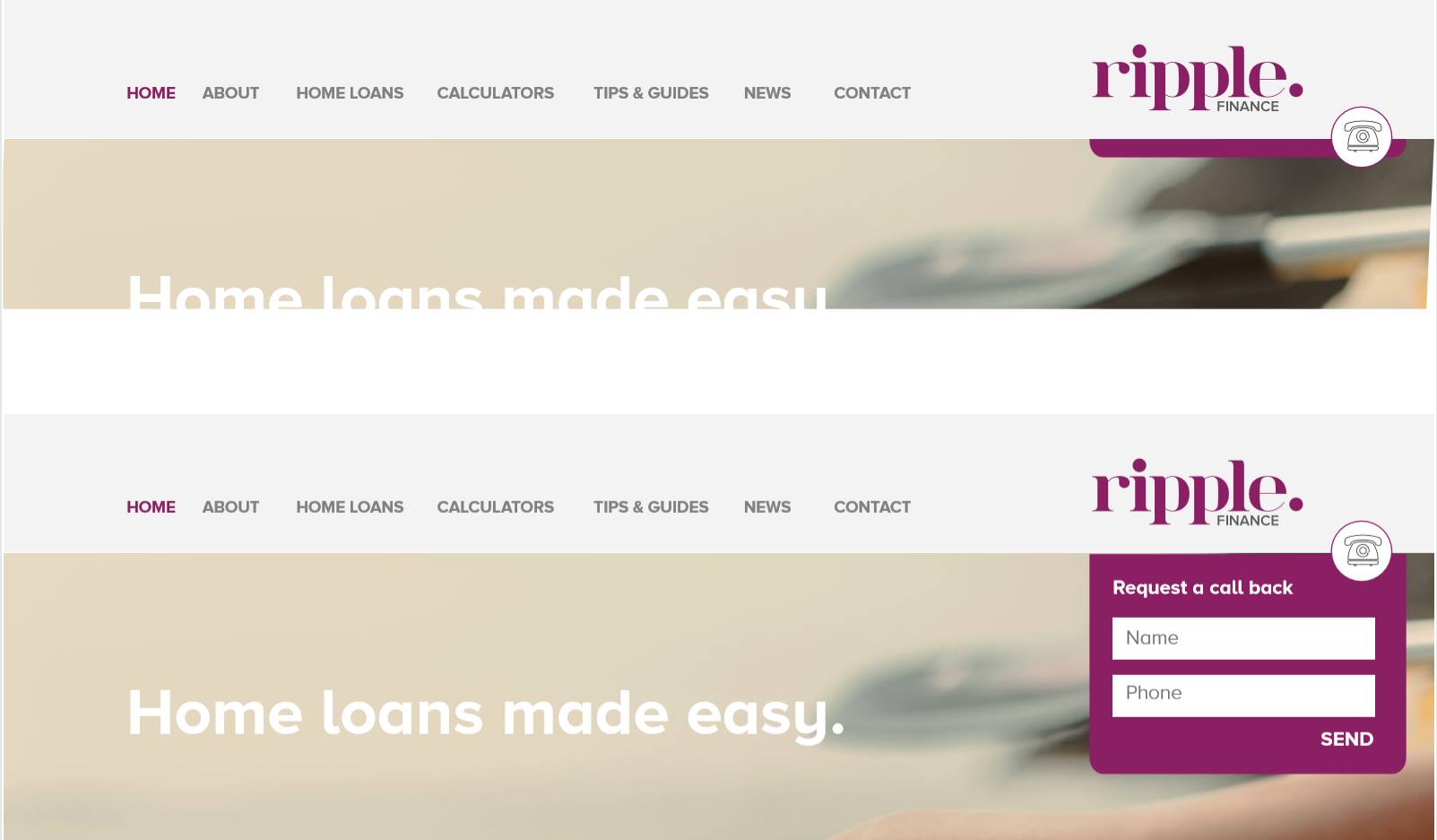
Hello @KaziTouhid,
Thanks for writing in!
You may do the following:
- Please create your custom header and add a bar.
- Proceed by adding three containers.
- Insert a logo image on the first container
- Insert the navigation inline element in the second container
- Insert the Ripple Finance logo and a content area dropdown element in the 3rd container
- In the content area dropdown element settings, find the “Toggle” and;
- Adjust the top margin so that it will be slightly down over the line
- Disable the Text setup
- Enable the Graphic setup, use the icon
- Select the phone icon
- In the Content Area Dropdown element settings, go to Content and style your content dropdown.
Hope this helps.
This topic was automatically closed 10 days after the last reply. New replies are no longer allowed.