Default Content Area Modal positioning

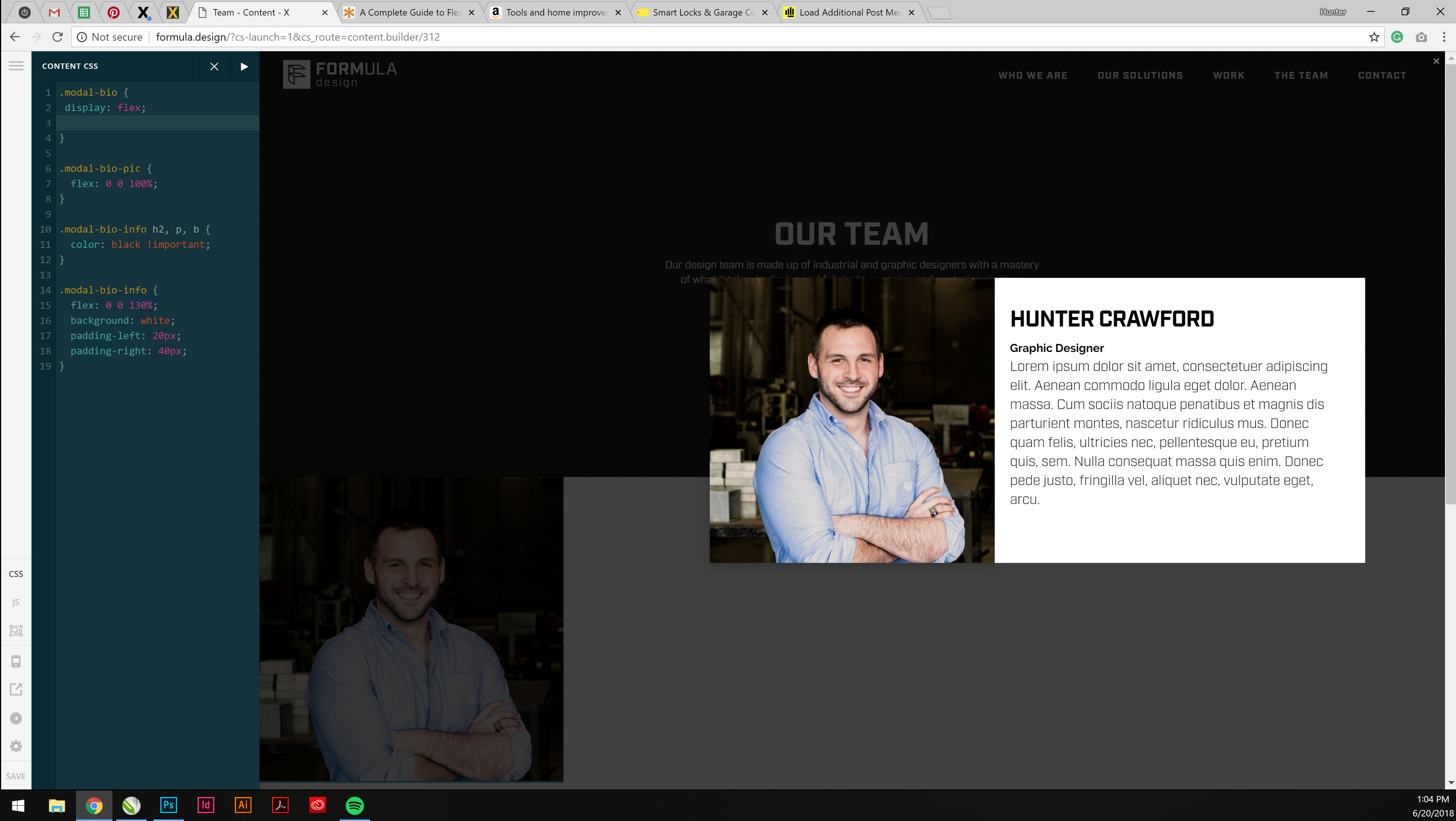
I am trying to create a team page using the content area modal. Inside the modal, I have an image and some text, each assigned a div and specific class. Both are contained within another div. Using flex I was able to get the text floated to the right of the image. However, it appears that the modal is ignoring the text as part of the modal and is centering only the initial child on the overall page. Any ideas on how to get the entire content of the modal to be centered on the page? I am pretty new to flex so all of my CSS has been guesswork thus far. Please feel free to suggest other ways of accomplishing this as well. Thanks!
Hi There,

Thank you for writing in, where did you apply the flex layout? Can you try having a 2 columns layout on the Modal Content instead?

<div class="x-container">
    <div class="x-column x-sm x-1-2">
        <img class="x-img x-img-none" src="IMAGE URL HERE"></div>
    <div class="x-column x-sm x-1-2">
        <div class="x-text">
        	<h4 class="mtn">Lorem Ipsum</h4>
            <p>Lorem ipsum dolor sit amet, consectetur adipisicing elit, sed do eiusmod tempor incididunt ut labore et dolore magna aliqua. Ut enim ad minim veniam, quis nostrud exercitation ullamco laboris nisi ut aliquip ex ea commodo consequat.</p>
        </div>
    </div>
</div>

Let us know how it goes,
Cheers!

This topic was automatically closed 10 days after the last reply. New replies are no longer allowed.