How do I change the default text at the top of the blog page? thanks
It defaults to “The Blog,” and then “Welcome to our little corner of the Internet. Kick your feet up and stay a while.”
How do I change the default text at the top of the blog page? thanks
It defaults to “The Blog,” and then “Welcome to our little corner of the Internet. Kick your feet up and stay a while.”
Hi Catherine,
Thank you for reaching out to us. To change the blog title and subtitle, navigate to Theme Options > Integrity > Blog Options and then change the Blog Tile and Blog Subtitle (see screenshot)
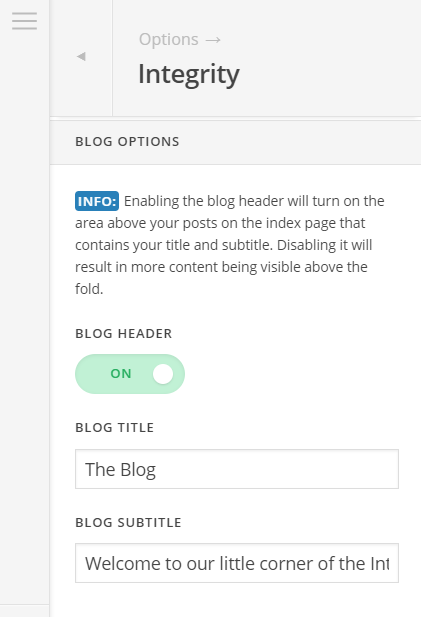
You can also turn it off by turning off the Blog Header in the Theme Options.
Hope this helps!
This topic was automatically closed 10 days after the last reply. New replies are no longer allowed.