Dear staff, in the old CUstomizer there were 2 ways to put in code: CSS and Misc. But suddenly customizer only has the CSS part. but I also had code in the MISC part (as this was the old part where i could leave code). By deleting this feature, suddenly my website changed and misses code. so there are settings at my website that changed. like Colors that changed. Please, where can i find this old document with code? Maybe through FTP?
And for starters: how can I change the code of my [alert]? Thank you!
Hey @MrsX,
We didn’t delete the Theme’s CSS option. The old Theme Customizer options were just moved to X > Theme Options. Please check your CSS in Theme Options > CSS.
Access it in the side panel.
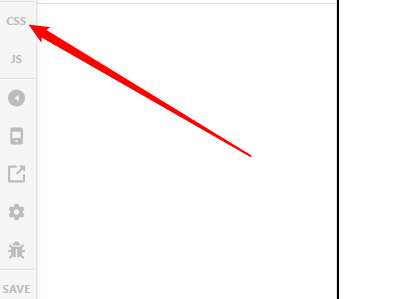
We are no longer using Appearance > Customizer and you cannot access the CSS code via FTP as it’s saved in the database.
If your old CSS is gone, it’s possible that your database got corrupted. In this case, it’s best that you revert your site to a previous working state. Your web host might be able to help you with this.
Once your old site is restored, backup all your custom codes then update X and all the plugins again.
Regarding the Alert element, please tell us the exact part that needs changing so we could point you to the right direction.
Thanks.
This topic was automatically closed 10 days after the last reply. New replies are no longer allowed.