Customize Woocommerce Booking with Add Ons

I have two issues right now. I am using x theme and the auto demo as a website base. I need my product booking page to be two columns on desktop so it’s not so long with the add ons but stay the way it is on mobile devices. I also need the woocommerce checkout form to be smaller on desktop but remain the same on mobile.

My website is http://www.policechaseexperience.com/
Hi,

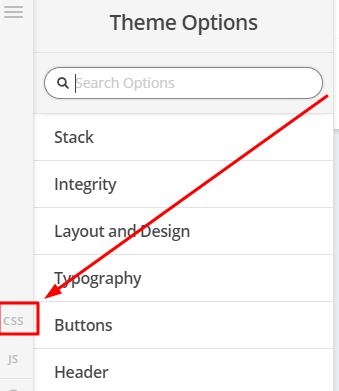
To achieve that, you can try adding this in Theme Options > CSS

@media(min-width:979px) {
.woocommerce div.product .summary {
    column-count: 2;
}
}

Hope that helps

This helped some, is there a way to have the product image as part of column one above the booking calendar and the add-ons only in column 2? Again, desktop only. Thank you so much.

Hi There,

Please update the previous CSS to this:

@media( min-width:980px ) {
    .woocommerce div.product .images,
    .woocommerce div.product .summary {
        width: 100%;
    }
    .woocommerce .cart {
        column-count: 2;
    }
}

After that add this custom JS:

jQuery(document).ready(function($) {
	if( $(window).width() > 980 ){
		$('.single-product .woocommerce-product-gallery').insertBefore($('.wc-bookings-date-picker'));
	}
});

Hope that helps and thank you for understanding.

This topic was automatically closed 10 days after the last reply. New replies are no longer allowed.