Hi there
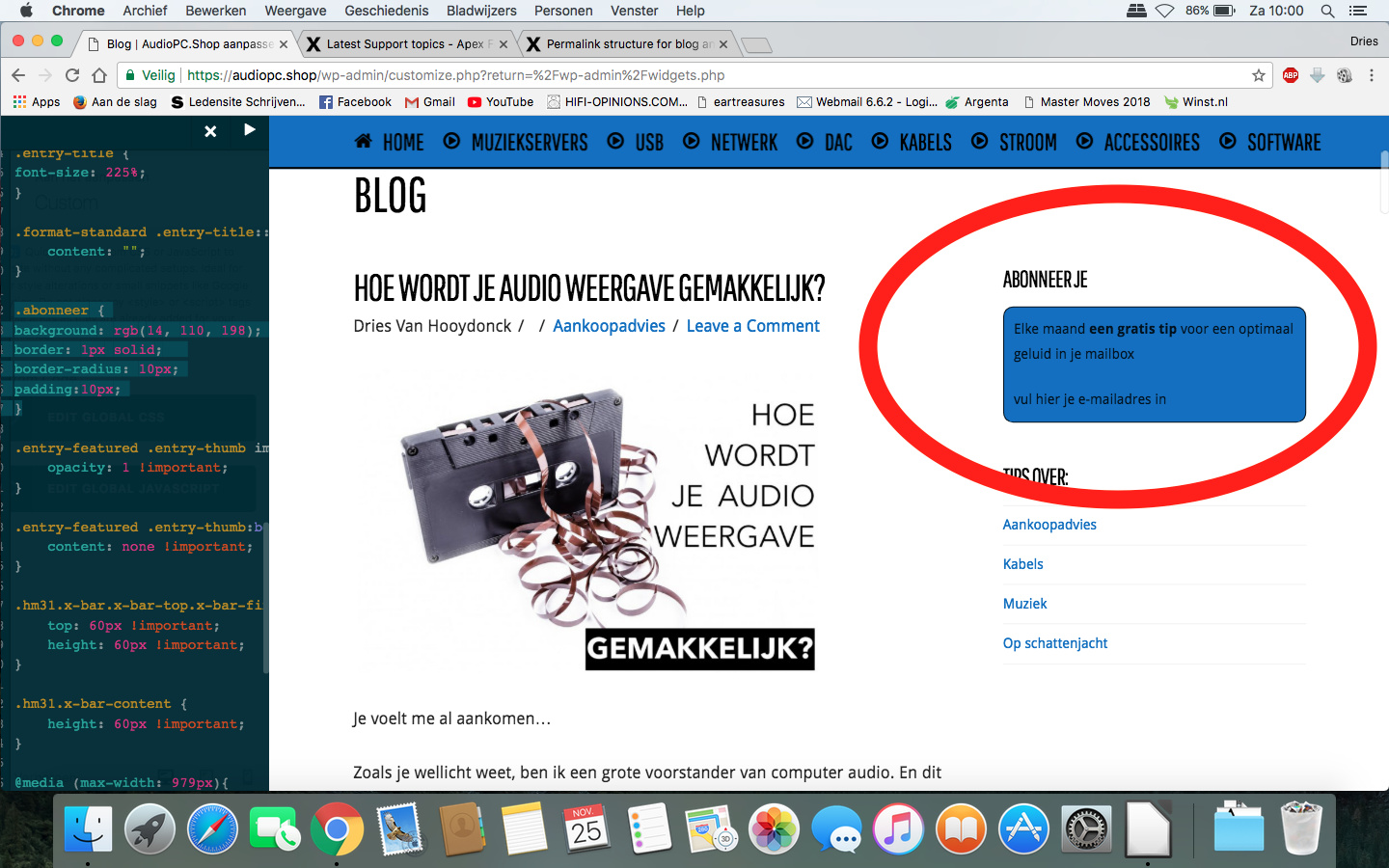
On my blog page I have an html widget which lets readers subscribe to my newsletter. I want to make it attractive so I make it look like a frame, set a border around it and have the background set to blue. I use a css class to make this happen.
This is set in the html widget:
<div class="abonneer">
<p align="left">Elke maand <strong>een gratis tip</strong> voor een optimaal geluid in je mailbox</p>
	<p align="left">vul hier je e-mailadres in</p></div>
This is set in customizer/custom/css:
.abonneer {
background: rgb(14, 110, 198);
border: 1px solid;
border-radius: 10px;
padding:10px;
}
The problem now is that the widget title (as set in the wordpress widget settings) is outside the scope of the class thus the title “Abonneer” (subscribe in Dutch) is outside the blue frame. I would like it to be inside the frame as well. You’ll see what I mean:
A solution would be to leave the title in the widget settings empty and add this title as a header element in the html of the Widget. Like this:
<div class="abonneer"><h3>
	ABONNEER JE</h3>
<p align="left">Elke maand <strong>een gratis tip</strong> voor een optimaal geluid in je mailbox</p>
	<p align="left">vul hier je e-mailadres in</p></div>
But then the title is not the same size as the other Widget titles and there is an empty space at the top of the frame where the title is supposed to be filled in at the widget settings.
You’ll see what I mean:
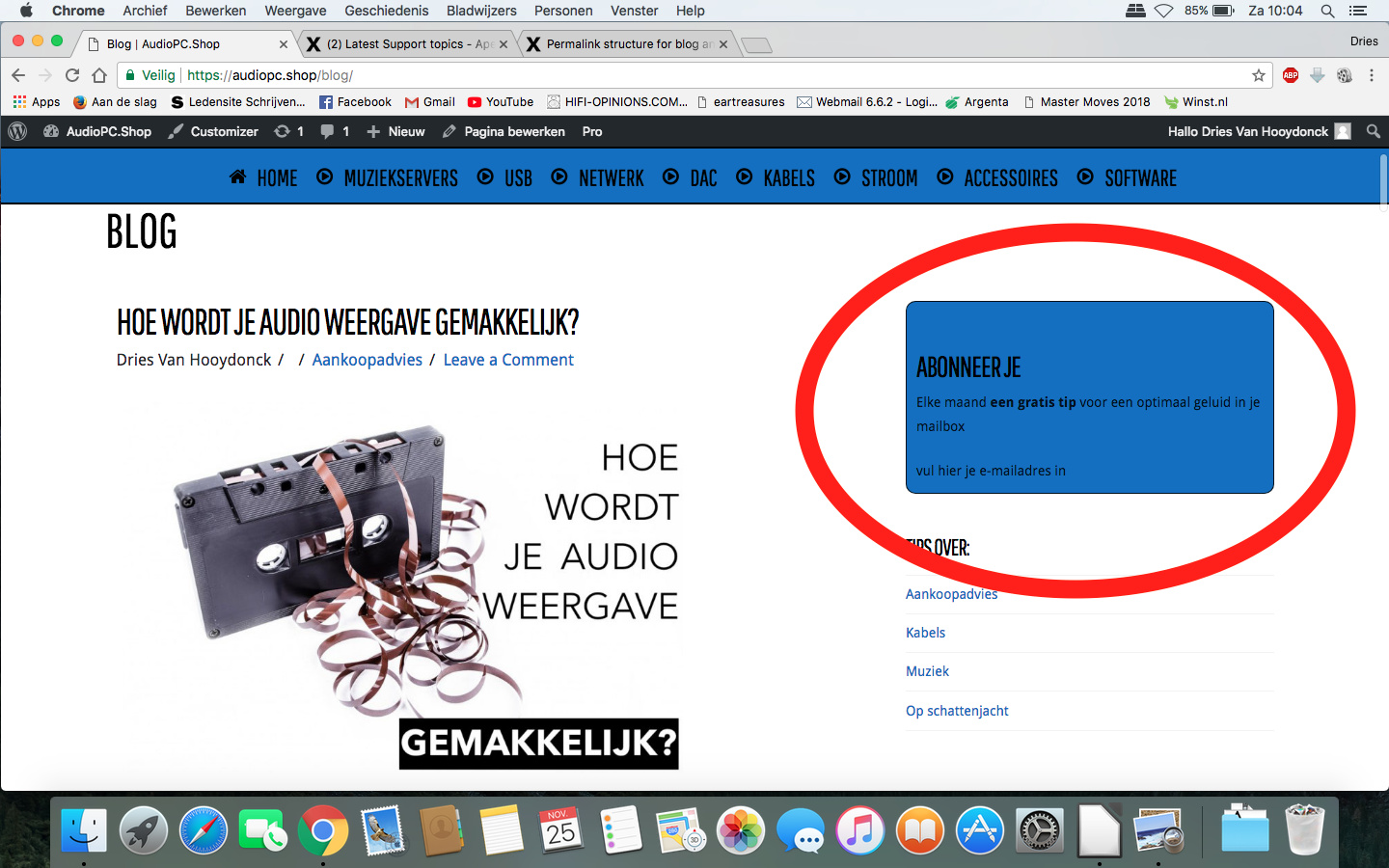
Because of the empty space at the top, the title “abonneer je” is not on the same height as the blog articles.
How can I have this fixed?
Or is there a better way to achieve what I want?
Thanks in advance for your help 