Customization to Dropdown cart

Hello guys!

I am currently doing some customization to the cart dropdown, and would like some assistance if possible.
I have currently been able to add the functionalty of current quantity of the cart items visible in the cart-nav-icon. By using a guide and some javascript. I used CSS to style this quantity counter, but it inflicts with anchor-text class, so that the buttons inside the dropdown cart is compromised. I am trying to find a workaround which will enable me to have custom css styling, but let the cart drop down button do their original thing.

With the CSS styling enabled:

Skjermbilde 2021-02-02 kl. 01.10.56
CSS used:

When I disable the custom css styling:
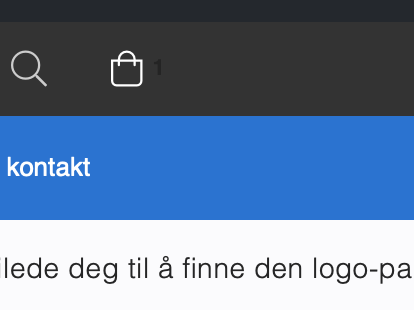
Skjermbilde 2021-02-02 kl. 01.12.23
As you can see the “Item counter” is now not as desired
But, the buttons back to normal inside the cart:

I disabled the styling entirely. Is there a way for me to target perhaps only the counter or only the buttons to get them both working properly?

I do understand that this might be out of the scope of support. But if there is a quick fix, maybe a class or ID I can target… I tried using !important on the button class for the dropdown cart buttons to override for the buttons specifically, but I did not succeed.

Thanks in advance.

This is the guide I followed, if that help anything.

Hi @prebb98,

Can you please provide your website URL to check the issue? I would also request you to share login credentials for your site in a secure note as it is required to examine it further, including:

– WordPress Site URL & Login URL
– WordPress Admin username/password

To create a secure note, click the key icon underneath any of your posts.

Note: Most of the site listed in your Themeco account is not working and showing error.

Thanks

Okey, thanks for reply. I have now attached a secure note with the information. Also I have cleaned up my Themeo account and licenses and removed the sites that is not online/using.

Hello @prebb98,

Regretfully the given credentials do not work for us. It seems that the password or username is incorrect.

Please double-check it.

Updated it

Hello @prebb98,

I was able to log in and fixed the issue by changing the class selector in your custom CSS into this:

.x-anchor-toggle.cartdropdown .x-anchor-content .x-anchor-text {
}

One thing to keep in mind is that the cart dropdown is composed of the toggle and the dropdown which has the class selector of x-anchor-toggle and x-dropdown.

Check your site now.

1 Like

This topic was automatically closed 10 days after the last reply. New replies are no longer allowed.