I see the customiser has changed. It won’t let me customise any page except my home page? Where can I customise all pages?
Thanks Rob
I see the customiser has changed. It won’t let me customise any page except my home page? Where can I customise all pages?
Thanks Rob
Hi There,
Thanks for writing in!
There is no such changes in the customizer in the recent update.
Can you please tell us what exactly you are looking for so that we can suggest you better.
Thanks
When I go to the customiser I get the menu shown in the picture. Where is the menu you normally get to edit typography head footer etc?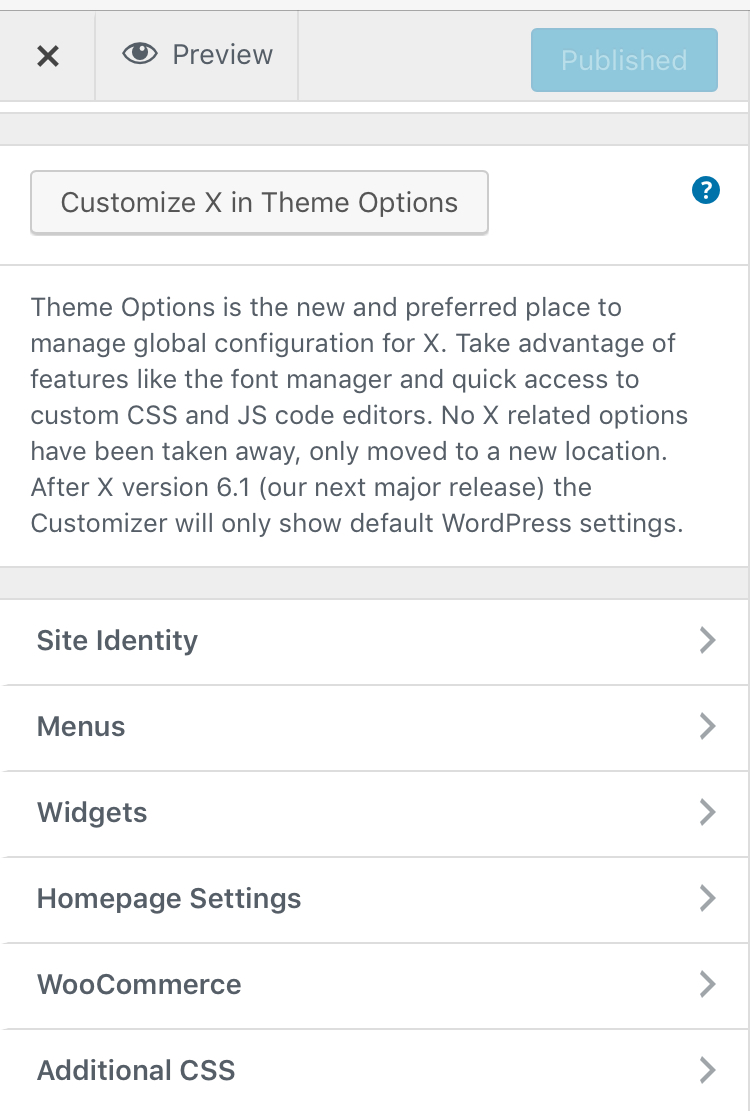
Hey @Rob_G33,
From the Customizer, press the Customize X in Theme Options button.
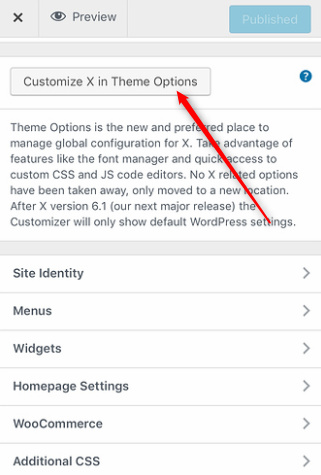
You can also access that in WP Admin Menu > X > Theme Options and also in the Admin Bar.
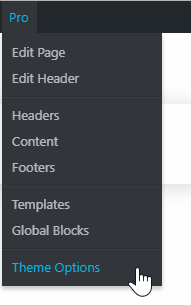
Hope that helps.
If I click the customise X in theme options it takes me to a new tab and only lets me edit my home page for some reason. I’ll try the other way suggested and let you know how I get on.
Thanks you.
Hi Rob,
You should be able to find these options in the Theme Options:
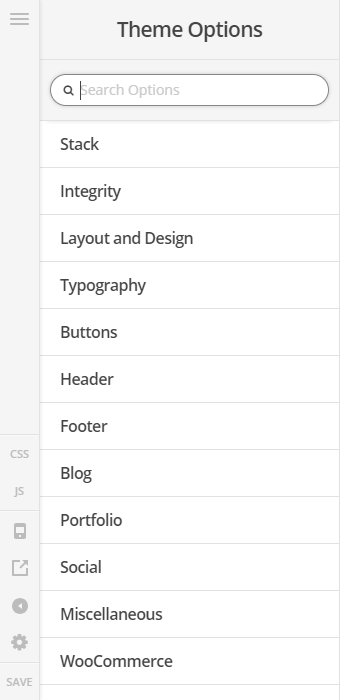
Kindly double check if you have both X and Cornerstone updated to the latest version to avoid issues.
X is updated I know that  I’m running an older version of woocommerce as x theme doesn’t support the latest version as far as I’m aware. Unless that has changed in the last week or so?
Hi @Rob_G33
Normally, the theme options will open the homepage first, however if you clicked on any link on the homepage in the preview area it will get updated to follow the link you clicked, so you can view any page you like in the theme options preview area.
If you are still having any issue with that, then please provide us with WordPress Dashboard login details in a “Secure Note” so we can investigate this issue.
Thanks.
This topic was automatically closed 10 days after the last reply. New replies are no longer allowed.
