Customise the search page

Hey there,

Hope you’re doing fine!

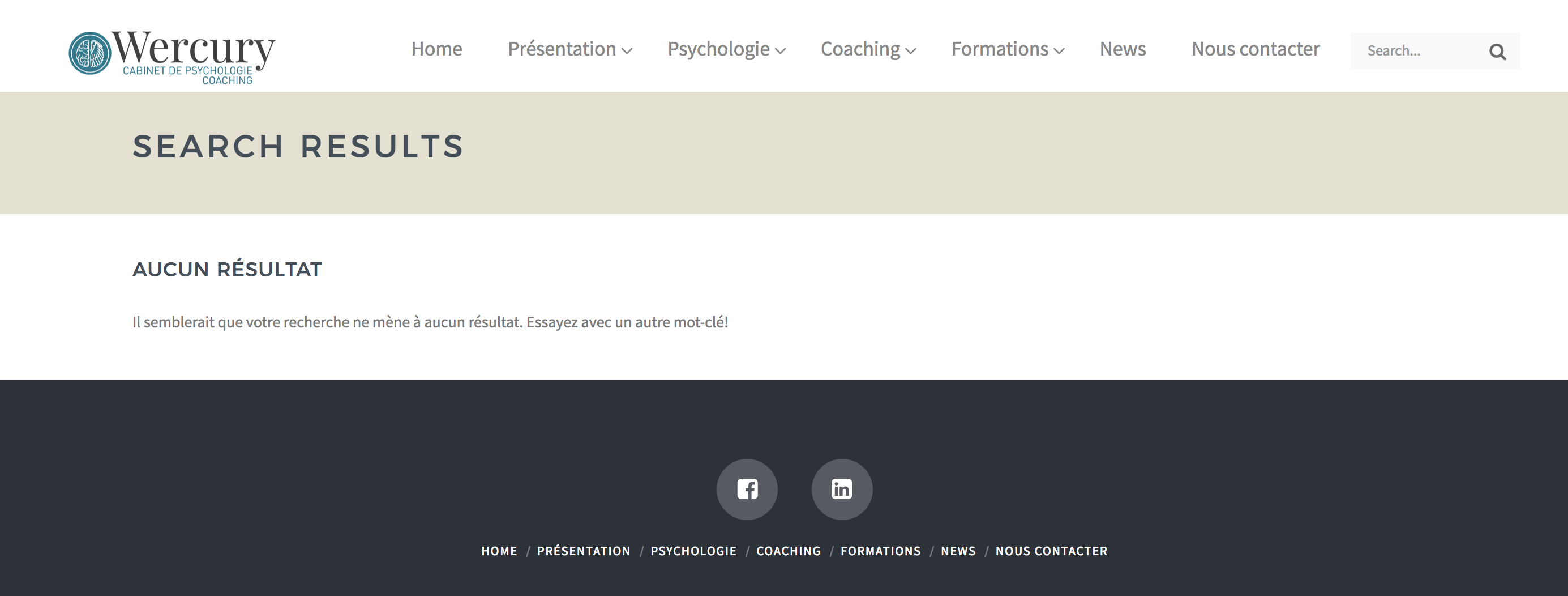
I’ve made a search module directly in my ubermenu navbar. When we search for something on the website, it does show the results, but this page appears when no results is found : https://wercury.ch/?s=manger (i’ve searched for a random word who doesn’t appear on the website)

My problem is, since my website is in french, I’d like to be able to change the text that is displayed in english.

Is there anyway to make it possible?

Thanks a lot :slight_smile:

Hi,

To change the text, you can add this in your child theme’s functions.php file.

add_filter( 'gettext', 'change_texts', 20, 3 );

function change_texts( $translated_text, $text, $domain ) {

    if ( is_search() ) {

        switch ( $translated_text ) {

            case 'Nothing to Show Right Now' :

                $translated_text = __( 'Rien à montrer maintenant', '__x__' );
                break;
                
            case "It appears whatever you were looking for is no longer here or perhaps wasn't here to begin with. You might want to try starting over from the homepage to see if you can find what you're after from there.":    
                $translated_text = __( "Il peut être ce que vous cherchez n'est plus ici ou peut-être n'était pas là pour commencer.", '__x__' );
                break;
        }

    }

    return $translated_text;
}

Hope this helps.

Hey there,

Thanks a lot, works just fine!

EDIT : is there actually anyway to also delete the title of this page (since it’s still in english while the rest is translated)? You can see it on the image belove, in the brown area. Thanks!

Have an awesome day :slight_smile:

Hi There,

Thanks for updating the thread!

Please add this CSS to your theme option-> Global CSS it will hide the search result page heading.

body.search .x-landmark-breadcrumbs-wrap {
  display: none;
}

Hope this helps!
Thanks

Hey there, thanks for the help!

Is it possible to also cancel the brown color that appears and make it white? Thanks!

Hi There,

Please update the previous CSS to this:

.search header.x-header-landmark {
    display: none;
}

Let us know how it goes!

Works perfectly, thank you!

Hi @Fuzuki,

Happy to hear that.

Feel free to ask us again.

Thanks.

This topic was automatically closed 10 days after the last reply. New replies are no longer allowed.