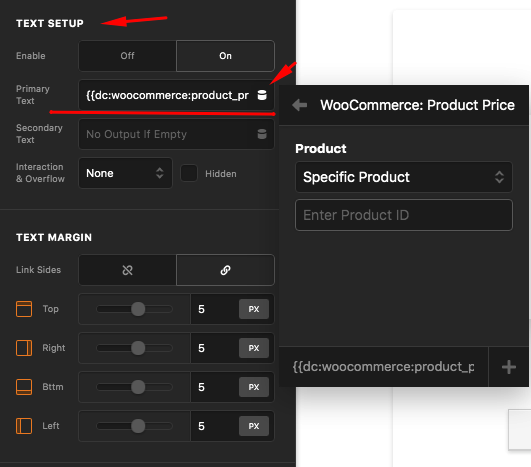
Hi,
I am wondering if there is an “easy” way to insert woocommerce product price fields in a custom Button element. Instead of using the default Woocommece page, I want to make my custom Woocommerce product pages using Pro. As I understand, we can add a Snippet to the function.php file like this one (https://wpcodebook.com/snippets/get-product-price-by-product-id-in-woocommerce/), however, after adding this, I do not know how to insert that price data to the Button element. Should I convert this code to a short code and write into a Content Area?
I am not actually a fan of adding custom codes to my site, as with theme updates, I will lose all of them.
If this is not possible or is not easy to do, I understand that too.
Thank you for great support!