Custom Product Pages

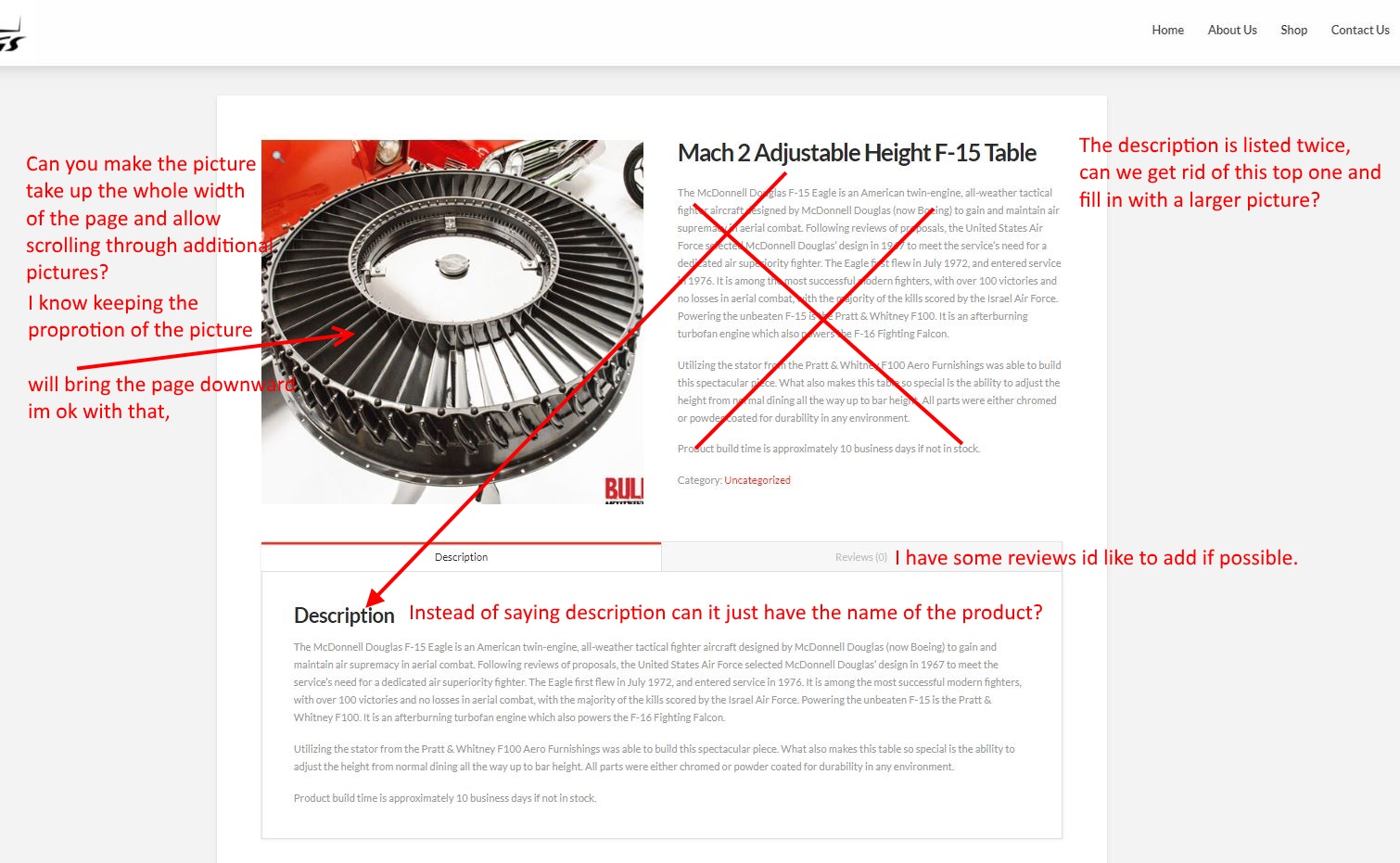
I can’t seem to find a way to achieve this without changing/adding CSS to the child theme. Here is what we are trying to accomplish:

  1. Make the featured image full width by removing the short description area

  2. Remove/change the “description” headline under the Description tab

  3. Have the images scroll automatically without having to click on each additional product images.
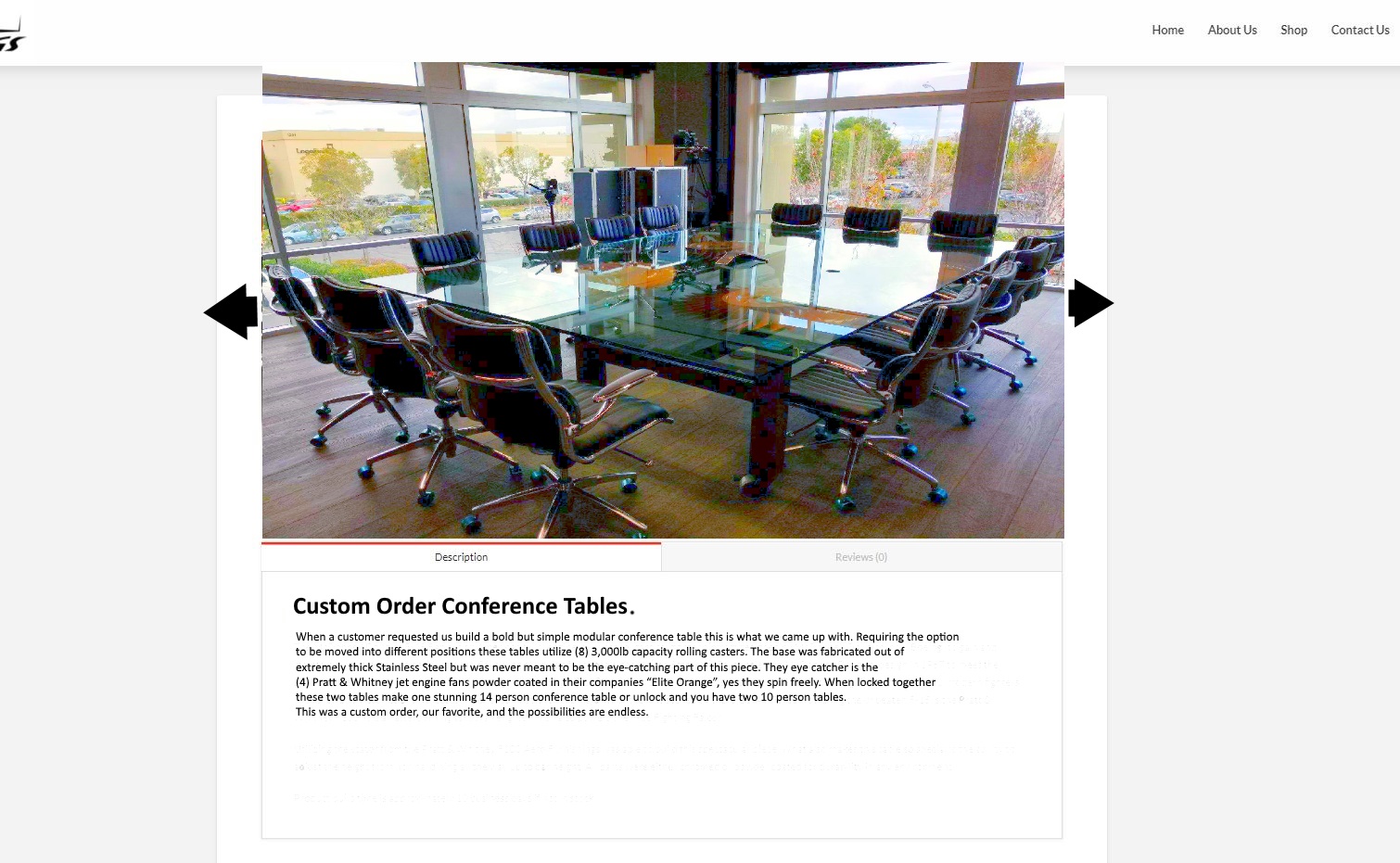

Any suggestions? Or do you have any custom CSS I could use to achieve this?

Thanks,

Jimmy

Hi @jimmyp04

That’s the CSS code you need as a starting point to make the product image displayed in full-width:

.woocommerce div.product .images, .woocommerce div.product .images img {
    float: none;
    width: 100%;
} 

Unfortunately, other modifications will require custom theme development to achieve the look and functions you are seeking for, which is beyond our support scope, you might need to hire a developer to get this task done or you.

Thanks.

This topic was automatically closed 10 days after the last reply. New replies are no longer allowed.