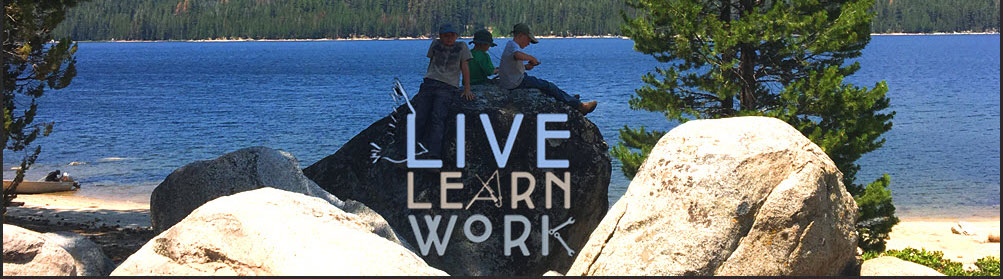
This is my first site build, and I feel ridiculous not being able to figure this out, but is there a way to change the height of my header? I’m using a photo, and the width is great, but I’d like to make it about half as tall so that users can see some of the page content below it without scrolling down. I’ve tried shrinking the actual image, but the header height stays the same. Thanks in advance for any tips. URL is www.livelearnwork.com
Hi,
Thanks for writing in! To assist you with this issue, we’ll first need you to provide us with your URL. This is to ensure that we can provide you with a tailored answer to your situation.
Thank you.
Hi THere,
In order to obtain a good result you will need to edit your banner in Photoshop or similar software, forcing different size would cause the proportions to look wrong and you would have a bad result.
Please edit the photo and add it again,
Let us know how it goes.
Thanks
Thank you for your post. I’ve tried editing the photo and uploading a smaller version, but the header height stays the same. I end up with white space in the header around the smaller version of the picture.
Hi There,
Please upload the file attached instead as your logo image so we can take a closer look.
Thank you
This topic was automatically closed 10 days after the last reply. New replies are no longer allowed.