Custom Font - Headlines Cutting Off Top Off Text?

Hi there,

We have a custom font on our site at https://www.evergreen-skischool.com/jp/

Everything is fine except the main headlines, where the top of the text is cut off in some headlines:
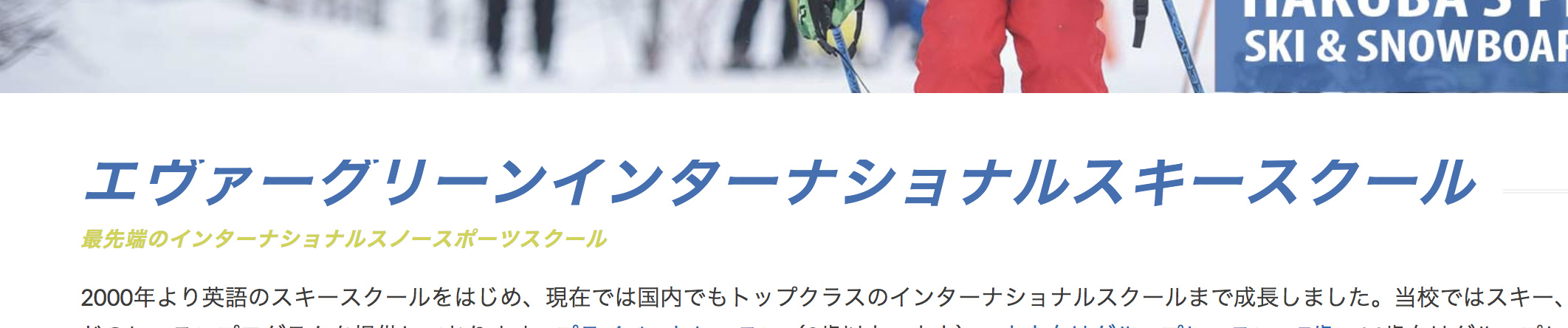
  • In this example, the problem is with the headline in blue only. I’ve tried removing “man” or the responsive text settings in the class, but this doesn’t fix it.
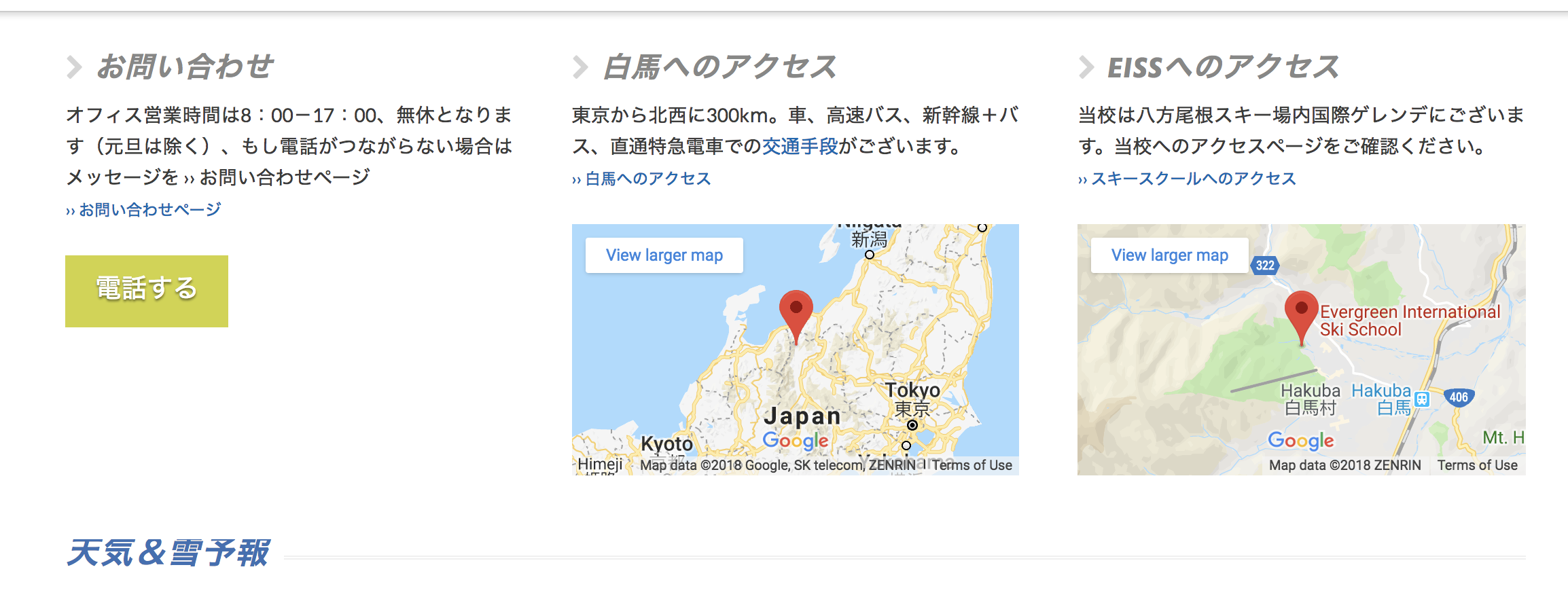
  • In this example, the problem is with the headline in Blue. The top default headlines for the widgets are fine. I’ve tried removing “man” from the class but this doesn’t fix the problem.

Can you help??
Hi There,

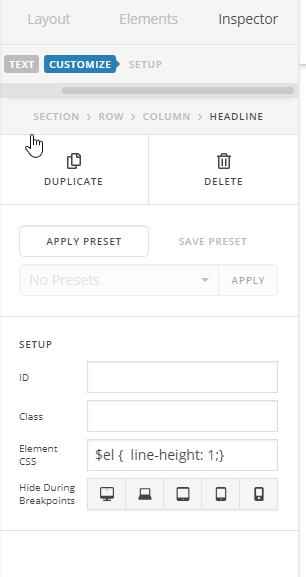
Please try adding this element CSS to your headlins:

$el { line-height: 1; }

Let us know how it goes!

Hi @thai

Thanks for this, but I can’t see the Element CSS section- this is all I have:

Please advise - thanks in advance!

Hello There,

The element css is only available if you are using v2 element. Since you are using a classic element, please insert line-height: 1; in the style field instead.

Please let us know how it goes.

Using “line-height: 1.5;” and reducing the max size in responsive settings will work - it’s not ideal, but better than it was - thanks!

You’re welcome.

This topic was automatically closed 10 days after the last reply. New replies are no longer allowed.