Custom Columns issue in Cornerstone

Hi,

I’m having a cornerstone issue. When I use “custom columns” in a row, above 5, my text in cornerstone goes invisible.

It’s still there, but I’m unable to see it in Cornerstone. This isn’t such a big deal for me, but my client will need to be able to see the text to edit it in the future. See screen shots below.
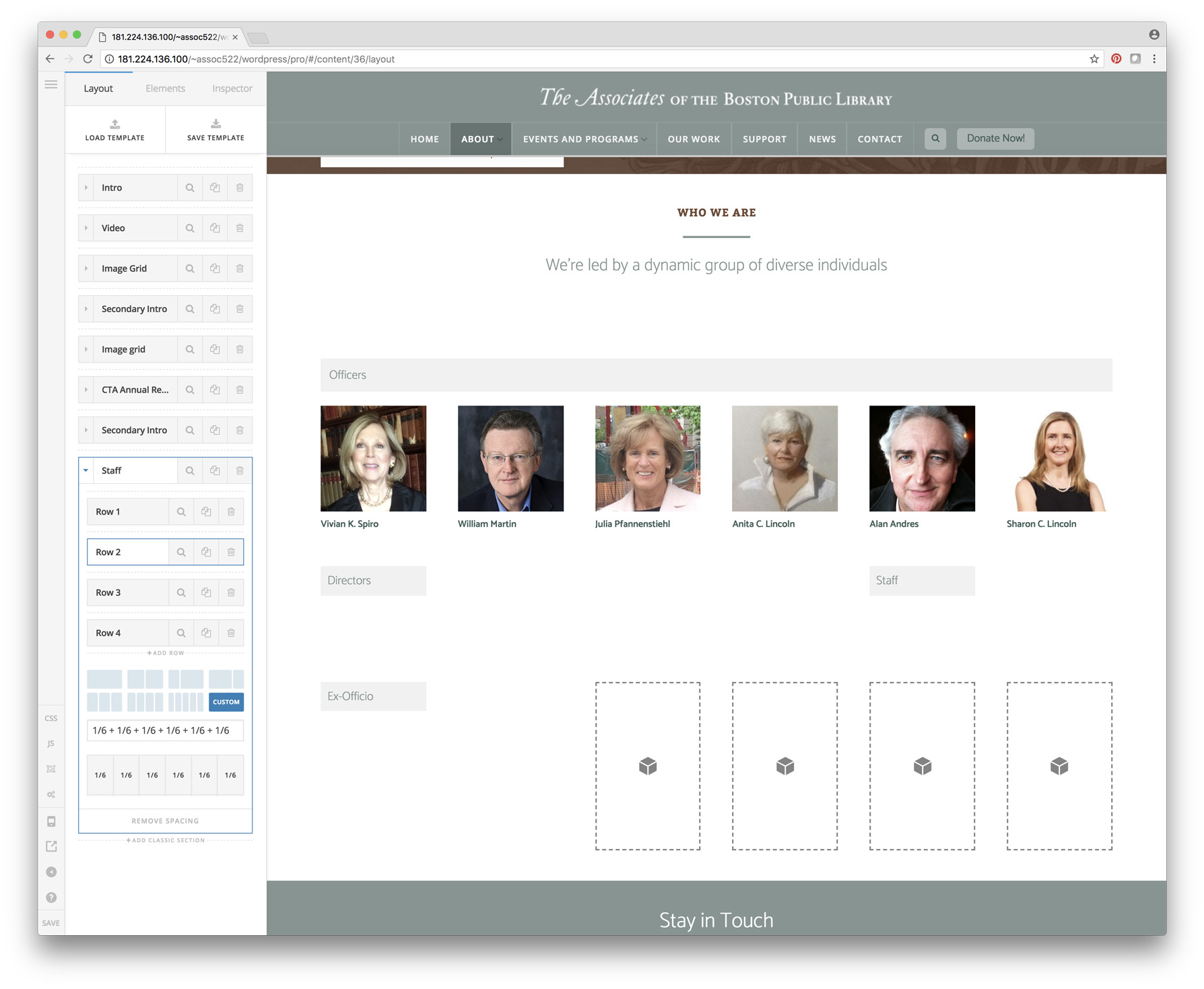

I noticed this also happened to me before when I used the column shortcode in an accordion.

Any Ideas?

I’ll send a secure note with login info.

Thanks

Garet

Never Mind about this.

Not sure how of why but it seems in Cornerstone the font color was reading as 0% transparency. But correct when viewed outside of cornerstone. I can only think it may have happened when I added fonts or colors to my template?

Anyway I went in and checked all the text, made sure the colors were added, and they appeared in Cornerstone.

If it happens again I’ll let you know.

Thanks

Garet

Hi Garet,

Glad you were able to get it sorted.

As for now we can verify the cause of the issue since you were able to get it setup correctly already.

Please let us know when you see the issue again so that we can check it.

Thank you.

This topic was automatically closed 10 days after the last reply. New replies are no longer allowed.