Custom Attributes Not Working in Cornerstone 4.2.3

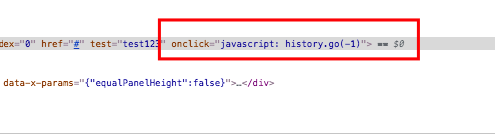
I’m trying to use the “Custom Attributes” feature on a button to add an onclick handler. I can create the custom attributes and they save properly but they never appear in the published content. I’ve also tried to create other custom attributes, such as test=“test123” and I can’t get anything to work.

As mentioned in the subject I’m using the Cornerstone 4.2.3 plugin (not the X Theme, or PRO Theme).

This is a great feature and I’d love to be able to take advantage of it - any suggestions would be much appreciated.
Hello @asawebmaster,

Thanks for writing in!

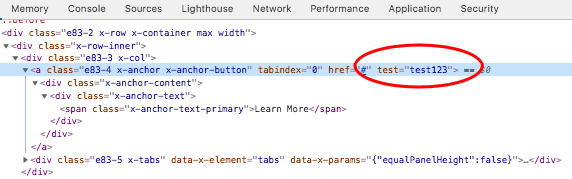
Please make sure that your javascript for the onclick event is valid and correct. I have tested the custom attributes on my end with a button element in Cornerstone and it is working for me. Kindly check out the images below.

DRMuAz4FQJ2jO8D3c4b9CA

XR_p9_HdRcuOqP6ciEl5HA

Please check your Javascript code and test your site again.

This topic was automatically closed 10 days after the last reply. New replies are no longer allowed.