CSS for images

Hi!

I have a page: http://www.motorhome.fi/etusivu/

I have a two 3D images as background images. I would like that they are a bit higher. Can I fix that hight with css? If yes, could you please be so kind and send me the correct css code? I would be appreciate a lot! Thank you!
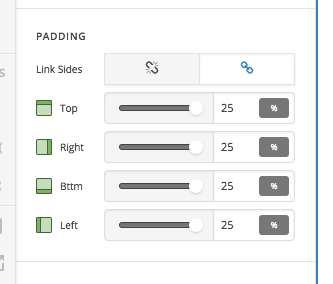
Hi There,

Thanks for asking!

You can increase the padding of the section so that the image can visible more.

Hope that helps!

Thanks

Hi!

I have try this but it works on preview but when I save and check the real page, it´s keep the same.

Hi @anni

I’ve checked your website and I can see these are the values you have set for padding on both sections respectively:

100px 0px 45px 0px

400px 0px 100px 0px

It’s for (up, right, down, left) padding values, if these aren’t the correct values you entered, then make sure to clear cache from any caching plugin you might have on your website, if this didn’t help then please provide us with WordPress Dashboard login details in a “Secure Note” so we can investigate this issue.

Thanks.

I actually got it now to just add more and more padding :slight_smile:

Glad we could help.

Cheers!

This topic was automatically closed 10 days after the last reply. New replies are no longer allowed.