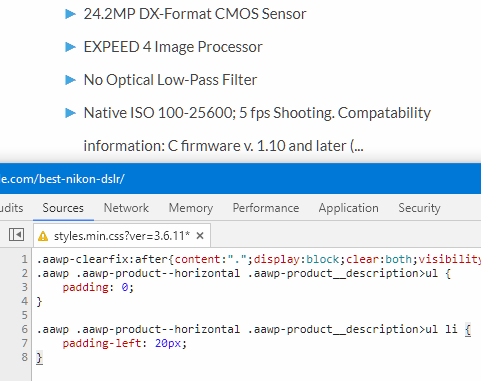
I added a custom CSS to my X theme site a while back that added blue arrows instead of the standard bullet points. However, on the AAWP Amazon plugin that I just got, the blue bullet points don’t work very well. As you can see on my page here: https://filmlifestyle.com/best-nikon-dslr/
Here’s a screenshot of what it looks like on this plugin: https://i.imgur.com/85AoklW.png
Is it possible for X theme to disregard a CSS style for a certain plugin? I’d like the standard bullet points just for the bullet points on these product boxes. Is that possible?
If not, is there a way to add some spacing, so that you can actually read the bullet points?
If you could give me the CSS for both, that would be fantastic.
Kind regards,