CSS Changes Aren't Showing

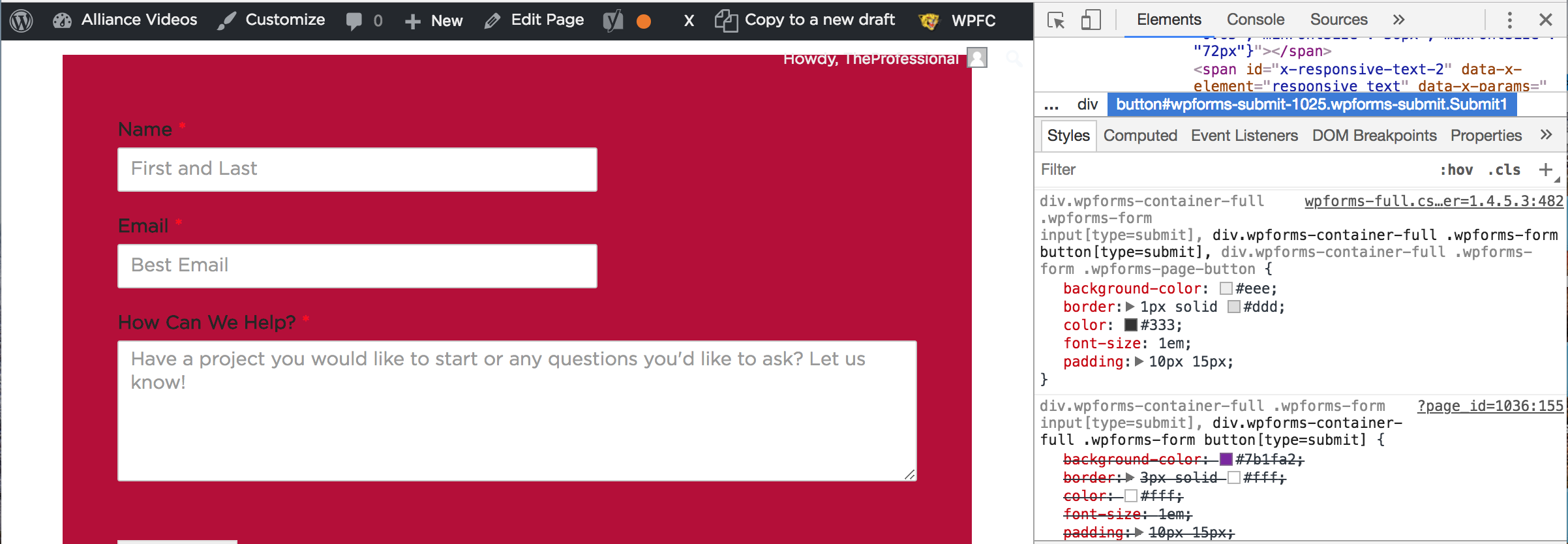
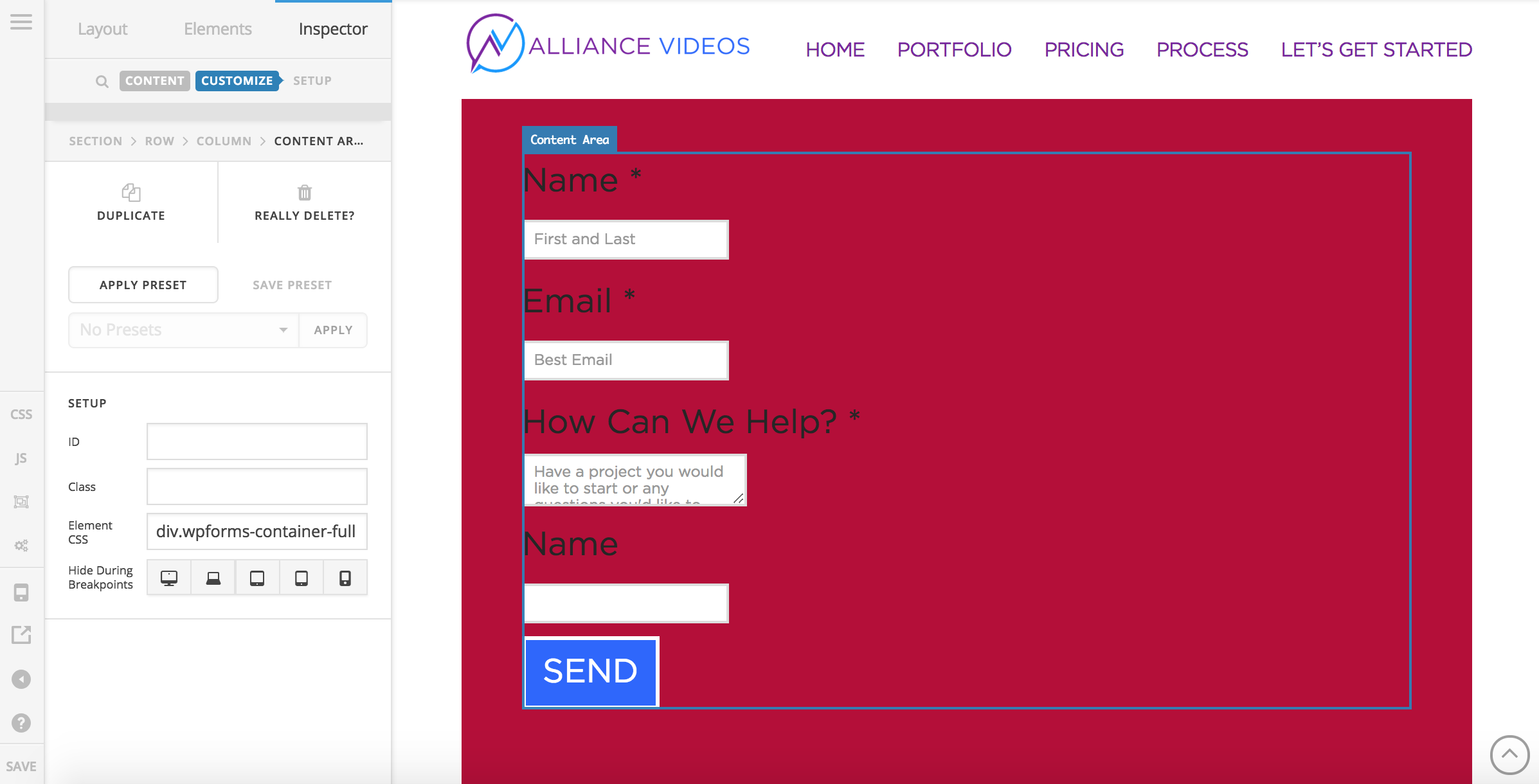
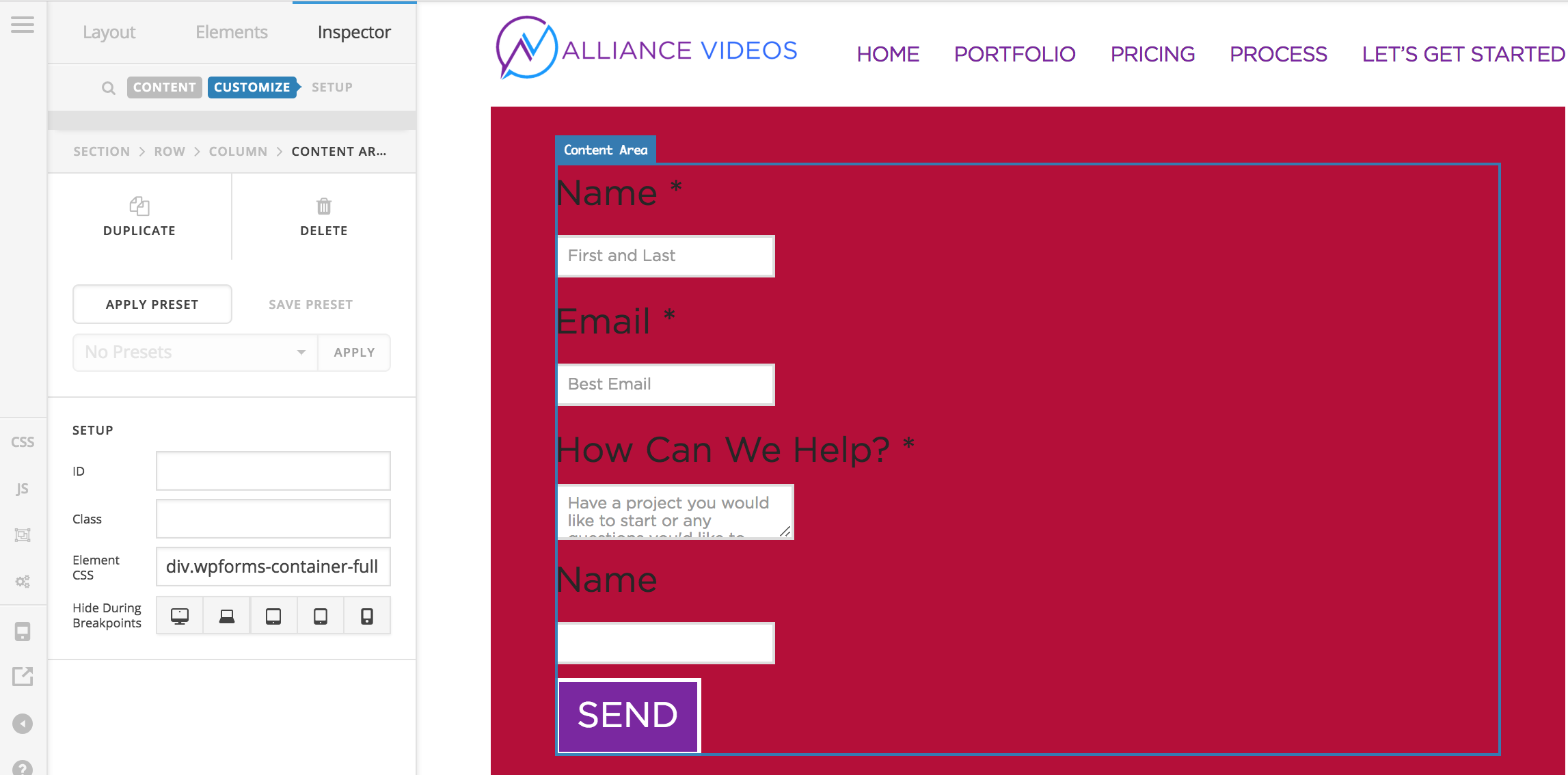
I’m Trying to style a submit button with CSS on my site but the changes aren’t taking place once I publish the changes. I can see it via Cornerstone, but I don’t see the changes when the page is published. I’ll insert pics and link to this message. But as you can see the changes are there when you inspect the element but they are all crossed off…

Hello @CoreyKlinefelter,

Thanks for asking. :slight_smile:

You can try increasing your PHP Memory limit. You can do this by editing your wp-config.php file which can be located under the root of your WordPress installation.

Add the following lines into that file.

define( 'WP_MEMORY_LIMIT', '512M' );
define( 'WP_MAX_MEMORY_LIMIT', '512M' );

You can add it before the line
/*That's all, stop editing! Happy Blogging. */

Let us know how it goes.

Thanks.

Didn’t work. When I go to the page, you see the change applied quickly, but then it reverts back to the unedited version

Hi there,

I have just checked your site: https://alliancevideos.com/ but I can’t seem to see the page where you added the form.

Would you mind providing the direct link to the page so that we can check it?

Thank you.

https://alliancevideos.com/landing-page-2/

Hi,

Thank you for providing the page url.

The css you have added is being overridden by wpforms css

Try adding !important to your css

eg.

div.wpforms-container-full .wpforms-form button[type=submit] {
    background-color: #7b1fa2 !important;
    border: 3px solid #fff !important;
    color: #fff !important;  
}

Hope that helps.

That Solved it! Thanks so much!

We are delighted to assist you with this.

Cheers!

This topic was automatically closed 10 days after the last reply. New replies are no longer allowed.