Creating a static image in left column with scrolling text on the right

Hi there.

I’m trying to create a landing page which has half the screen a static image and the other half have scrolling content. Image is 1200x1200 or I can make one 2400x1200 with half of the image acting as the white background on the right-hand column.

Cant seem to get it to work full-screen or work out how to add a static image in a column. It’s bugging me.
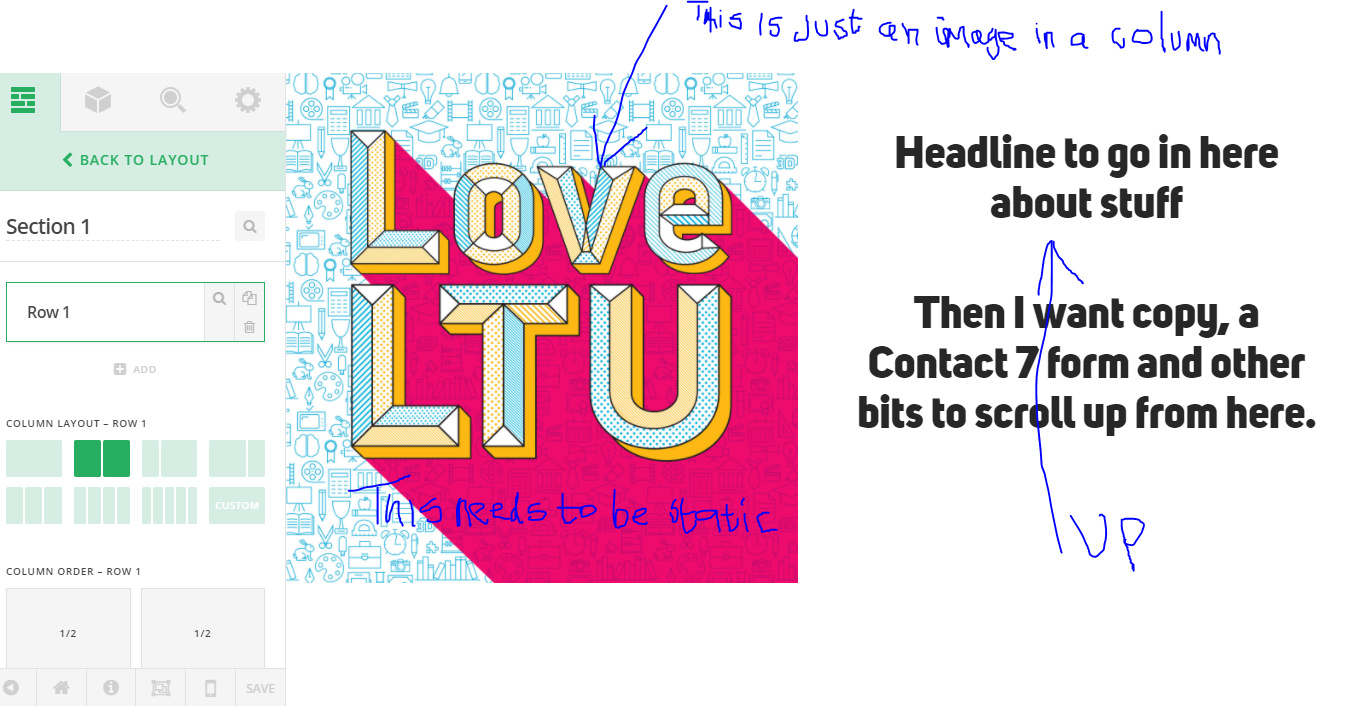
If anyone can help me out please? HAVING A NIGHTMARE!!!

Hello There,

Thanks for writing in! What you want may not be possible entirely in Cornerstone. What I would recommend is to set a maximum height for each column. For example, in the “Customize” of the column settings, you insert this:

max-height: 320px; overflow: hidden;

And for the right size, you will need to insert this inline css:

max-height: 320px; overflow: scrollable;

Hope this make sense.

This topic was automatically closed 10 days after the last reply. New replies are no longer allowed.