Create a post from a Form submission

What’s the right way to create a new record in a CPT using a Form. I’ve setup the following actions:

  • The post is created
  • But the various meta fields are empty

I read the docs and they don’t give many clues. I could try ACF Post Field Update but the dropdown for Field is empty.

I wish the docs for Form were better and included worked examples. Right now using forms is a hit and miss affair and wasting your time on support tickets IMO.

In your example you are going to want the Meta updates to be a child of the Post Create. Utilizing Form Action Response Dynamic Content you can feed the newly created post ID into the ID field of the Post Meta update action. We could definitely update the docs more around feeding Actions together. Post Meta Update should also give you an error what you are doing wrong in your scenario which I’ll update.

Checkout the Post Create with Featured Image template that creates a new post and adds a new meta value too.

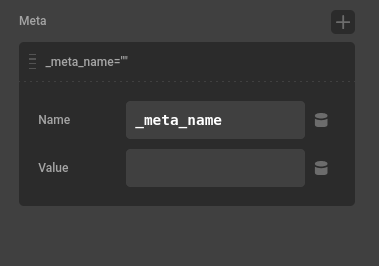
There is a Meta section in the Post Create where you can add meta values easily too. Have a great weekend.
image

I’ve tried to follow your suggestion, I nested the individual meta field updates like this:

And then used this method of linking the record ID with updating each field

It creates a record, but the meta fields are blank.

Can you provide more guidance? Or even write this up as a worked example in the documentation?

Thanks, Bill.

I created a template “Post Create with Meta” you can take a look at. I would double check your meta value DC is correct since it does seem to work for me. I can take a look at your site too if you’d like. I’ll update the docs to have more details on Action chaining. Let me know if this helps and have a great day.

Where is this mysterious template you speak of? I’ve looked inside Cornerstone and the forum and the docs. Sorry for being Dim.

“Post Create with Meta”

Secure note above if you have time to look, Bill

Hello Bill,

The WP Access is not working for us. It seems that the given password is incorrect. Please have it updated.

Thanks.

Apologies, I saved the Password again.

There is a Max cache on sites that you can also clear in the window. You might be able to see it on your site now too since it’s been some time since my message. You can also find it here. https://theme.co/account/max/16 . Let me know if that helps.

I switched {{ form_action.response }} to {{dc:form_action:response}} and now it works. Should that be written clearly in the Forms documentation? I also didn’t know about that resource in my account :wink:

Hello Bill,

Twig is enabled in the Theme Options, which is why you have {{ form_action.response }} when you insert dynamic content. We’ll ask @charlie why the dynamic content code version works compared to the Twig version.

CS Forms is part of Max. You should also be able to access it in the Cornerstone builder:

We will update the documentation to mention these resources.

Thanks.

This topic was automatically closed 10 days after the last reply. New replies are no longer allowed.