Counter not in the middle on mobile view

hi there,

i made a round counter with your help. all works fine normal view.
but when changed to mobile view, the counters are alligned to left.
i tried to center it but it does not work.

you find the counters on the start page when scrolling down (4 counters)

can you pls help me?

thanks in advance
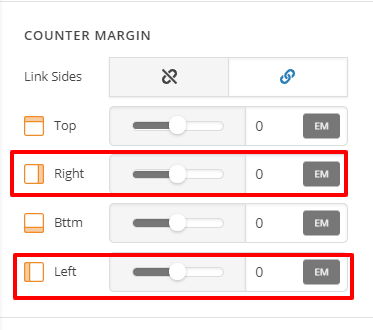
Hi Harald,

Please inspect each Counter. Then under Counter Margin, set Left and Right to auto instead of 0

Hope this helps.

hi,

stupid me!

BIG THANKS! worked! :slight_smile:

Glad to hear that. :slight_smile:

This topic was automatically closed 10 days after the last reply. New replies are no longer allowed.