Hi ThemeCo team,
I’m seeing what appears to be a timezone/offset issue with the Cornerstone countdown timer.
Video: https://www.loom.com/share/7f5e9d7659924370b74924f68645663f
The issue is not isolated to one page or one site. I can reproduce it across multiple websites using ThemeCo, including in places where the countdown appears in the global header and on individual pages. It is also not isolated to FunnelKit pages/builds.
The issue
When I set a countdown to end at a specific Pacific Time date/time, the rendered timer is consistently off by roughly 5–6 hours.
Example
If the countdown target is set for Thursday at 7:00 PM Pacific, the timer output does not reflect the correct remaining duration based on Pacific Time.
As another reference point:
• If it is Monday at 10:39 AM Pacific
• And the event is Thursday at 7:00 PM Pacific
• The correct remaining time should be 3 days, 8 hours, 21 minutes
The timer is not reflecting the equivalent Pacific-time offset correctly.
Environment / settings
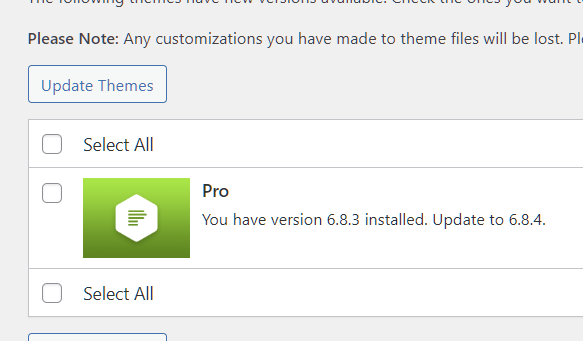
• Theme: Pro
• Theme version: 6.8.4
• Cornerstone version: NA
• WordPress version: 6.9.4
• PHP version: 8.6.0
• Site timezone: America/Los_Angeles
• Under Settings > General, WordPress reports:
• Universal time: 2026-03-11 20:57:49
• Local time: 2026-03-11 13:57:49
Those values appear correct for Los Angeles / Pacific time, so the site timezone itself does not appear to be misconfigured.
Scope of issue
- Happens on more than one website
- Happens outside FunnelKit pages
- Also occurs in the global header
- Appears to affect multiple countdown instances, not just a single element
- Offset is consistently in the range of about 5–6 hours
- Noticed a FunnelKit Birthday field displaying 6-7 hours off after submission when build in Cornerstone as well.
Steps already taken
I have already checked / done the following:
• Confirmed WordPress timezone is set to America/Los_Angeles
• Confirmed the issue occurs across multiple websites
• Confirmed the issue is not isolated to one page builder context
• Cleared caches
• Re-saved / reconfigured / Rebuilt countdown instances
• Verified the expected countdown math manually against Pacific Time
Plugin conflict testing
I understand support may ask for a conflict test. Before posting, I did perform a plugin conflict test on a staging site.
Result
• Deactivated all non-ThemeCo plugins except required basics
• Switched to a minimal test context
• Issue persisted
Specific ask
Can you please confirm:
1. Whether this is a known issue with the current countdown element
2. Whether the countdown is intended to use:
• WordPress site timezone
• server timezone
• browser/client timezone
• or UTC with conversion
3. Whether there is a known issue with cached/stale offset calculations
4. Whether there is a recommended fix or patch for countdowns rendering several hours off despite correct WordPress timezone settings
For speed, I’ve provided:
• URLs for multiple affected websites (will provide in a private note)
• screen recordings (attached
• Admin Logins
I’m trying to avoid unnecessary back-and-forth, so I’ve included as much of the baseline troubleshooting context as possible.
Thank you.