Cornerstone won't edit after inserting Javascript

After following the instructions here below to insert javascript, cornerstone won’t load when I try to edit my homepage:
https://theme.co/apex/forum/t/self-updating-copyright-notice/18885/2?u=daveg

I get the error:

The preview was unresponsive after loading. This is most often related to a plugin conflict or aggressive page cacheing.
Origin URL: http://2pidesign.com
Preview URL: http://2pidesign.com/

I tried clearing the cache, but this didn’t resolve the problem.

The live website loads fine, but I am unable to edit it:
http://2pidesign.com/
Hey @DaveG,

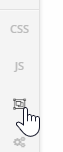
I’m sorry my colleague gave you that suggestion. I’ll notify him of this issue. The write method is not allowed in the builder because of how it works. Try using the Skeleton Mode and remove that code.

Please try the method suggested here.

Thanks.

1 Like

Hi @christian_y,
It took a bit of playing around but I got there in the end.
Thanks very much for your help.

You are most welcome. :slight_smile:

1 Like

This topic was automatically closed 10 days after the last reply. New replies are no longer allowed.