I have built a new website completely with cornerstone on a subdomain of my website. There everything works fine. Now I have moved it to a new domain, by the use of the plugin ‘All in one WP migration’. At first sight, everything works fine. However, I can not make changes to the pages anymore. When I click the button ‘Edit with cornerstone’, the wheel keeps spinning and cornerstone does not appear. What can be the cause of this and how can we fix it? I can not show you this, because at this moment an old version of this website is still active with another provider and I have not yet changed the nameservers. What can I do? I want to make sure the new website works fine before I change the nameservers.
Hi There,
Please install this plugin: https://wordpress.org/plugins/better-search-replace/.
After that replacing all the old URLs with the new URLs.
If it doesn’t work, please try testing for a plugin conflict. You can do this by deactivating all third party plugins, and seeing if the problem remains. If it’s fixed, you’ll know a plugin caused the problem, and you can narrow down which one by reactivating them one at a time.
Let us know how it goes!
Hi guys, it tried it all. Nothing works. I even re-imported the website again. Same problem remains.
One specific thing I would like to mention. On my contact page there is a google map. It works on my current site (http://elpablocs.be/hansoul/contact/), but not on my new site. There the frame of the Google Map is just black. Maybe this has something to do with it?
Second thought that comes into my mind: can this issue be a consequence of the fact that the A-records of my site are not set yet?
Hi @Pablo.
In this case, please share us your admin credentials so we could check your setup closer.
Don’t forget to set in a secure note.
Thanks.
Ah, I see,
The problem is originated from the fact that the DNS servers are not completely surfed your domain. Kindly set the A record for the domain and make sure that you update the new domain in WordPress Dashboard > Settings > General:
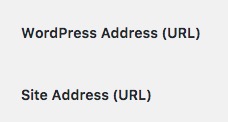
Then use the plugin my colleague suggested to check the database and replace all occurrences of the URLs.
All those settings should be done after you set the A record and the domain is live on all DNS servers of the world which may take up to 4 days in edge cases.
Thank you.