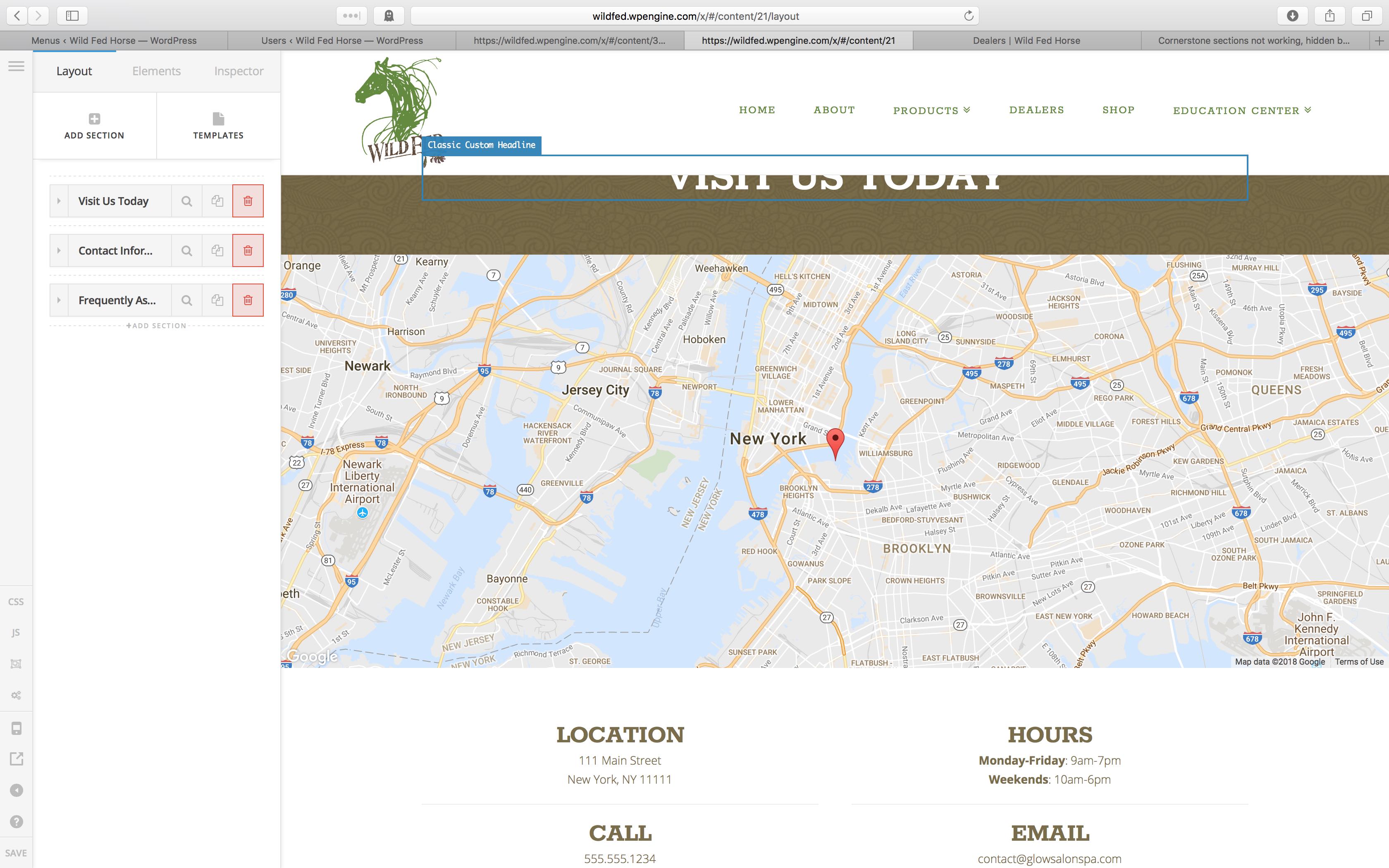
Cornerstone sections not working, hidden behind header

Hey there,
On my site, https://wildfed.wpengine.com/, I’m having some serious problems that I can’t figure out.

When I create new pages, for some reason the first section is partially hidden behind the header. The is also happening on the homepage somehow as slider revolution isn’t properly sizing to the layers, and cutting of the top of the images.

I’m having to put a 10% VH margin on the first section to make them readable.

Also, on the dealers page - https://wildfed.wpengine.com/dealers/ - the formatting and lines are completely different than that is show in cornerstone. It’s really weird and I can’t figure it out.

I have tried uninstalling and reinstalling x and cornerstone, deactivating the plugins, working with my host, WPEngine and we can’t figure out what is going on.

Help!

Thank you!


Also, the menu doesn’t seem to be working right. Dropdowns aren’t dropping down, they are appearing over the top level menu item.

Please help!

Hello There,

Thanks for writing in!

1.) You are having this issue because your top height is way smaller than the actual height. To resolve this, please go to X > Launch > Options > Headers > Navbar and set the Navbar Top Height to 151px because currently you only set it to 60px.

2.) The menu dropdowns should be fixed when you set the correct value in #1. You may also adjust the menu in X > Launch > Options > Headers > Links - Alignment. The navbar Top Link Spacing should be able to help you position the submenus correctly.

Hope this helps.

This topic was automatically closed 10 days after the last reply. New replies are no longer allowed.