all the problem is for wordpress force cornerstone to RTL direction.
the problem will solved if you can help to cornerstone stay LTR direction.
i add login info to test.
plz create new page and test cornerstone pro section and row and you see doesn’t work properly .
if you look carefully cornerstone editor, you can see element direction its not optimized well for RTL language.
Hello @skycn68,
Thanks for writing in!
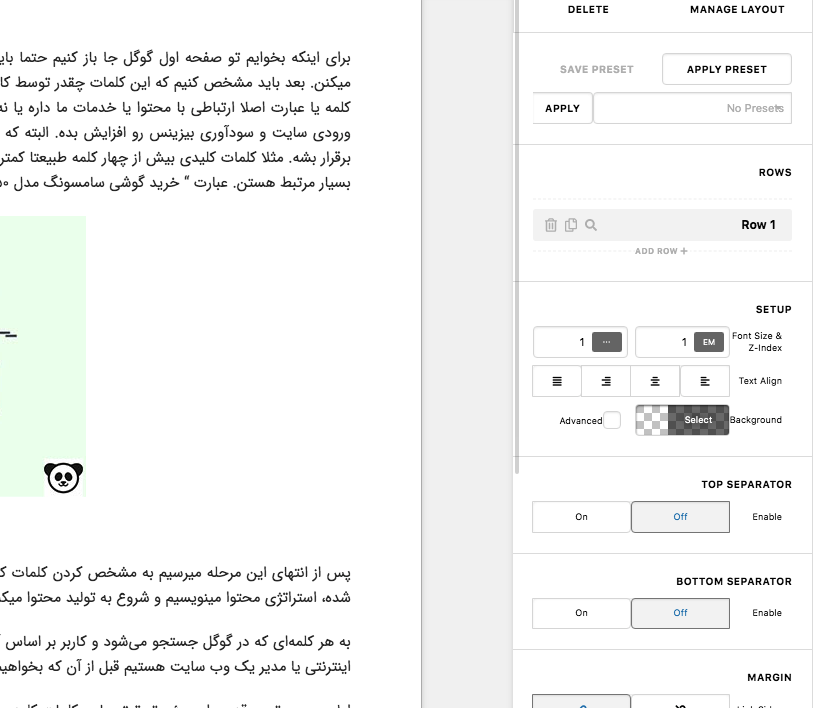
Our developers have already been made aware of this issue. Once they’ve fix this, it will be updated when we roll out the next release update cycle.
Please bear with us.
but if you can help me solve my problem now
just how to force cornerstone act like LTR or English website?
no need to change cornerstone direction in RTL language .
Hey @skycn68,
This method is not recommended as this requires editing the parent theme directly but I’m currently not sure what filter to use so, please open the pro\cornerstone\includes\views\app folder and open the boilerplate.php file and comment out the language_attributes function like in the following screenshot.
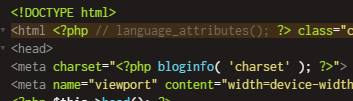
Hope that helps.
Yessssssss its work 
thank you so much
You are most welcome!
This topic was automatically closed 10 days after the last reply. New replies are no longer allowed.