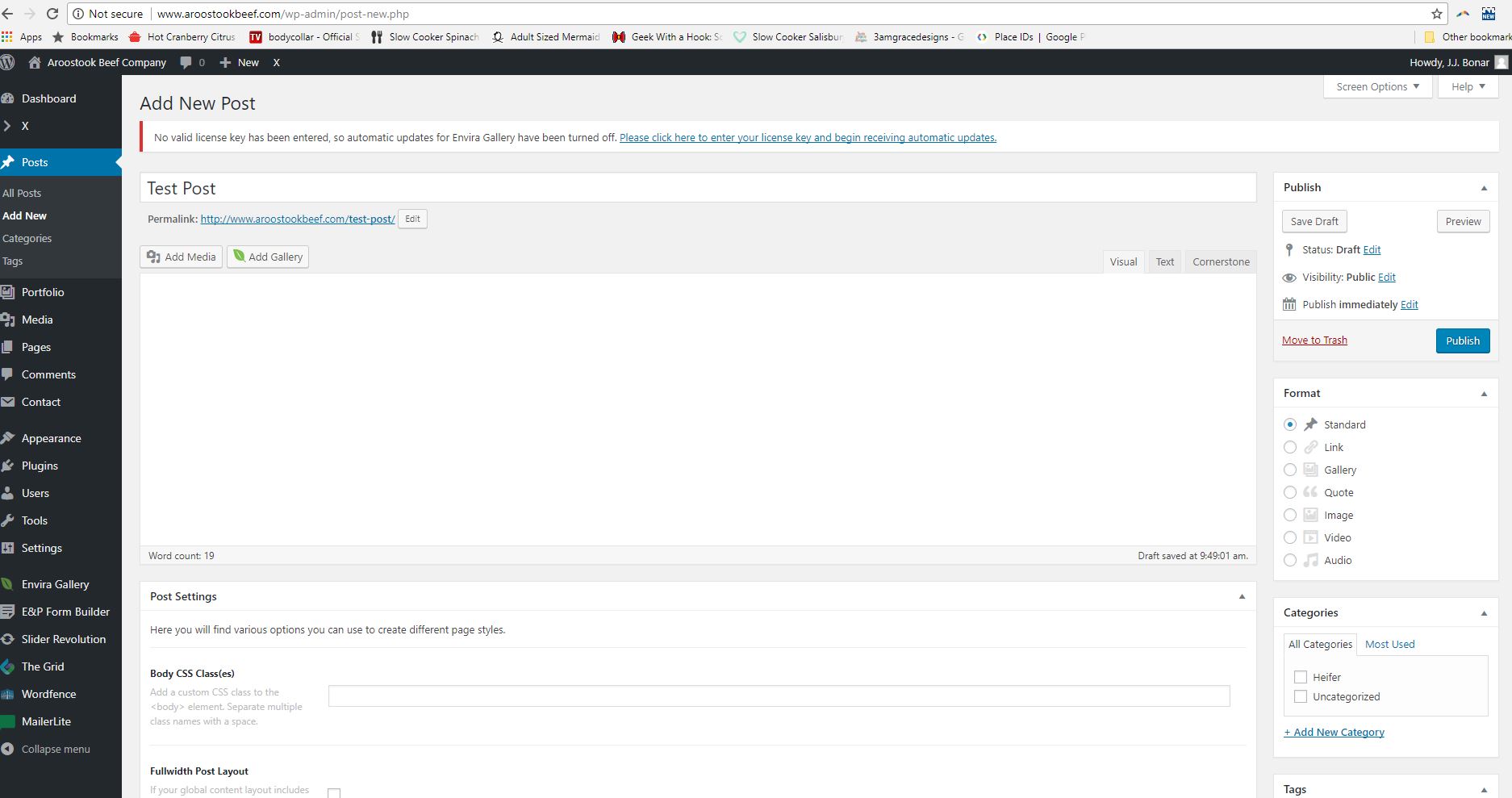
just tried adding a post and when i click “edit with cornerstone” it just goes to text editor
Hello @gordie303,
Thanks for asking. 
Please try out following general solutions.
- Please make sure that you are running PHP 7 or later on the server as running old version of PHP can have potential issues. You can refer following document for server requirement https://wordpress.org/about/requirements/1
- Remove custom CSS, Javascript and templates.
- Reset your htaccess file by renaming it to .htaccess-bak. Then in WP Admin Menu, go to Settings > Permalinks and just click the Save Changes button.
- Test for a plugin conflict. You can do this by deactivating all third party plugins, and seeing if the problem remains. If it’s fixed, you’ll know a plugin caused the problem, and you can narrow down which one by reactivating them one at a time.
- Contact your host to increase your allocated memory or do it yourself by adding this code in your
wp-config.php
define( 'WP_MEMORY_LIMIT', '256M' );
define( 'WP_MAX_MEMORY_LIMIT', '512M' );
If nothing helps, please give us WP Admin and FTP access in a Secure Note.
Thanks.
I am having this issue as well. My memory allotment is set. I’ve deactivated plugins to no avail and have tried resetting permalinks.
Hey @jjbonar,
I’ve removed your login credentials here because the original poster could see it. Please open a separate thread and post a link to this thread for reference.
Thanks.
This topic was automatically closed 10 days after the last reply. New replies are no longer allowed.