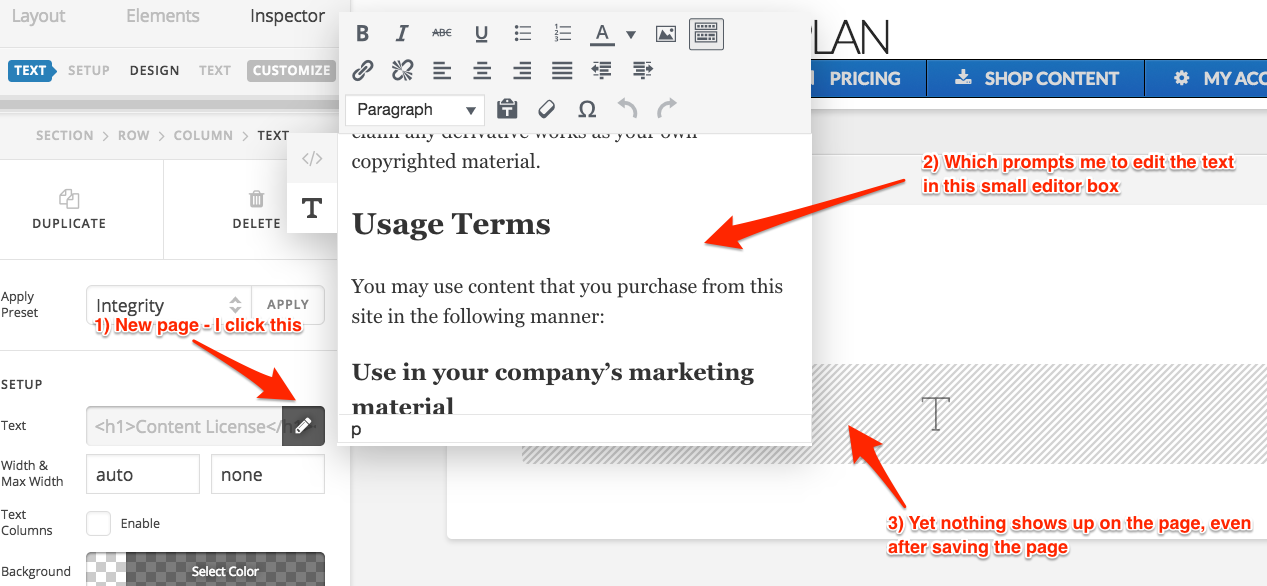
I’ve created a new page using your new Cornerstone version. I put in the text box element onto the page in order to enter my text. However, any text I enter doesn’t show up on the page, even after I click save.
I can edit existing pages that have text, but can’t seem to add new blocks of text.
See screenshot of what I’m getting. Maybe I just don’t know how to use your new editor. Is there a video that can help?