Cornerstone-Need Help: Columns

I am making a Contact page in Cornerstone. I am having a time finding where I adjust the size of columns in a section. I have two sections.

The top is a section with a photo. I was able to figure out how to get the photo to the size I want.

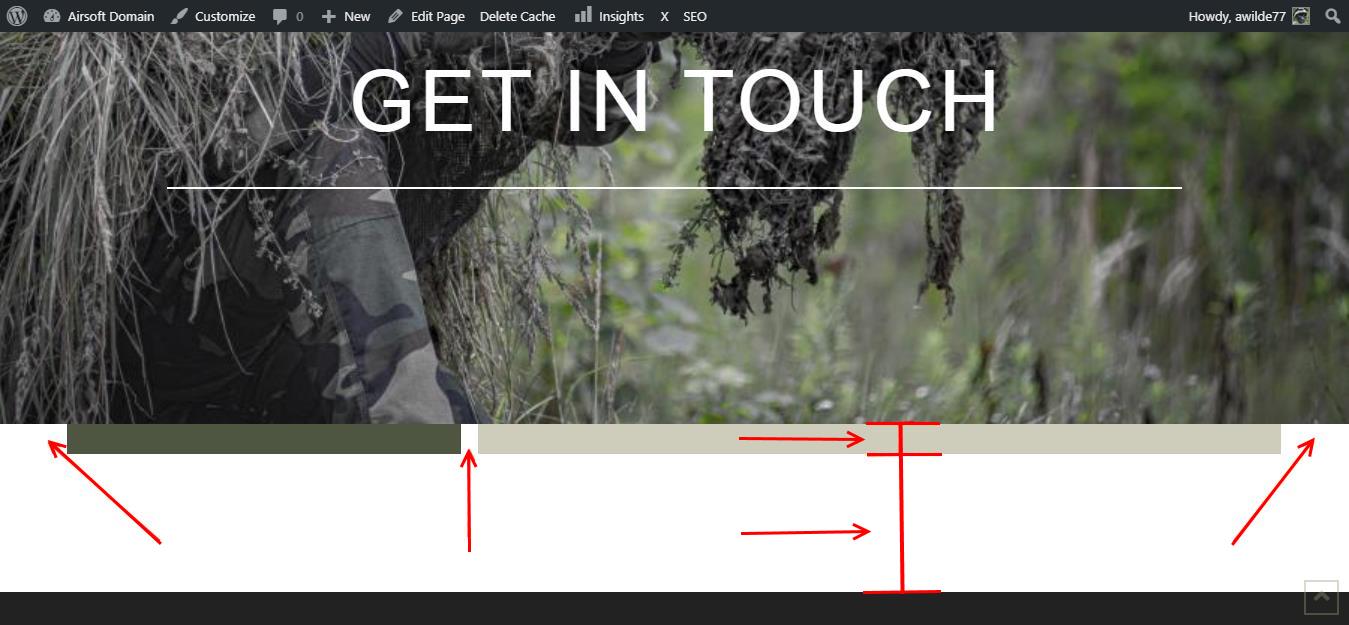
The problem is the second section. It has two columns. The column on the left will have text, the column on the right will have a contact form. The problem I am having is getting both columns to run to the edge. (See photo below). You cannot tell on the left side, but the right you can see it.

I also can’t seem to get rid of the white space between the 2nd section and the footer…
Hello Justin,

Thanks for writing in!

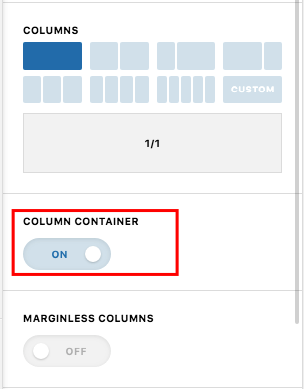
  • To make sure the columns expand to the edge, you will have to disable the Global Container or column container in your row settings. Even if it is a classic row or the new row element, there is a global container option in the row settings that you need to disable.

Hope this helps.

Ok, found it, but how do I get rid of the white area between the two sections and the white area after the second section? Also, the columns did not change in size…

I figured out how to remove the space between Section 1 and Section 2, but I cannot find a way to remove the white space between Section 2 and the footer. I am also still not able to get the columns to a bigger size.

Hello Justin,

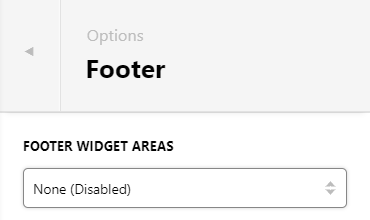
The white space above your footer is for FOOTER WIDGET areas. To disable it, please go to Theme Options > Footer > Footer Widget areas : Choose None Disabled.

The second section column of contact us is already fullwitdh. Can you clarify which part are you having issue?

Thanks for the info on the Footer Widgets. In regards to the columns, I managed to figure it out after sometime playing around with the settings in Cornerstone. I forgot to reply with that info afterwards…

You’re welcome!
We’re glad we were able to help you out.

This topic was automatically closed 10 days after the last reply. New replies are no longer allowed.