Cornerstone Menu Issue

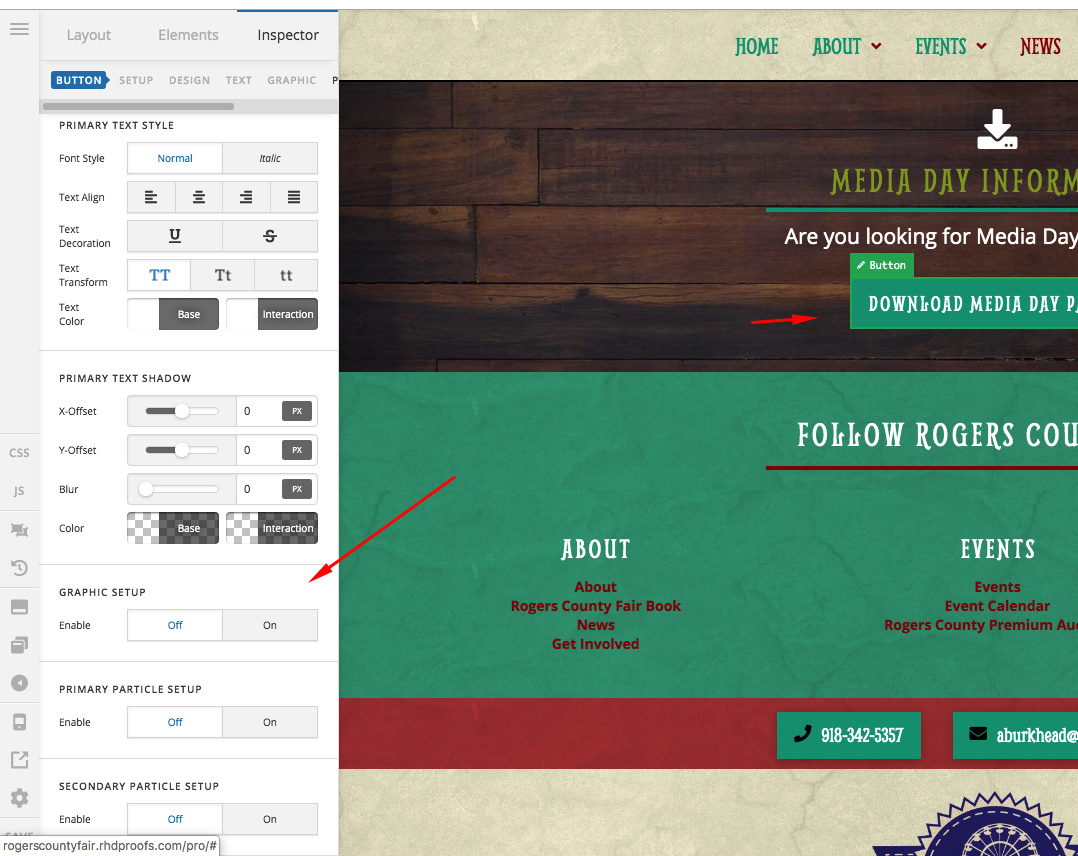
We are having an issue where when we click on a cornerstone element and then go to edit the settings, the editing panel turns white. Making it impossible to edit our content. This the page we are trying to edit:

http://rogerscountyfair.rhdproofs.com/news/

I’ve tried deactivating all third party plugins. All of our plugins and themes are up-to-date. Can y’all advise on how to fix? I can provide the login details in a private note.
Hello Sarah,

Thanks for writing in!

On my end News page is working fine in Content Builder and individual settings options are also working fine. Please see screenshot link in secure note.

Please clear browser cache and try again.

Thanks.

Hi, can you please check again? I’ve cleared my cache and am still having the issue. My co-worker who works in a different state is also having the same issue. So it’s not specific to my browser.

It doesn’t happen right away. For example, I click on the red button, I see the settings. But after I try to scroll down to edit the text section, it turns white. Will you try editing the text on the button to see what I mean?

Hello Sarah,

I have logged in and edited your page. I can click the red button and scroll to the bottom in the left panel with no issues.

Please check your site Health. ​We recommend that you increase your memory allocated to PHP. To increase it, please edit your wp-config.php file and insert these lines:

define( 'WP_MEMORY_LIMIT', '256M' );
define( 'WP_MAX_MEMORY_LIMIT', '512M' );

You can add it before the line
/*That's all, stop editing! Happy Blogging. */

And we also recommend that you increase your PHP time limit.

We would loved to know if this has work for you. Thank you.

This topic was automatically closed 10 days after the last reply. New replies are no longer allowed.