Cornerstone editor making the page taller than the editor

I’ve been using Cornerstone/Pro for some time, and I’ve noticed this issue fairly persistently, but have only now been able to find a reliable trigger. Occasionally, a bug will be triggered, after which certain actions will make the editor viewport taller than the editor itself, making the page increasingly unusable until you reload the tab. I’m not sure if there are multiple triggers, but one reliable one is to load the editor at a smaller breakpoint (for example, if you’re editing on a laptop or a non-maximized browser window), and then switch to the desktop/XL/base breakpoint.

Once you’ve triggered this bug, quite a few actions will make the viewport taller, but key actions are opening the HTML editor (including when editing text or other items like the CSS editor), and resizing the Cornerstone sidebar (not the viewport–the actual sidebar). Both seem to make the viewport about 50px taller, but resizing the sidebar is much more dramatic because it seems to trigger the bug every pixel that the sidebar is resized.

I’ve been seeing this bug for several versions of Pro, and have replicated it in the following conditions:

  • Different server software, including Apache, LiteSpeed, and Nginx
  • Different combinations of caches in front of the server, including CloudFlare, Haproxy’s cache, LiteSpeed Cache (with and without Redis), other WordPress caching plugins, and no cache at all.
  • Different browsers, including Chrome, Firefox, Edge, and Brave (in a number of different profiles and in a fresh incognito session)
  • Different physical computers, on different physical networks
  • Different operating systems, including Windows 10, Windows 11, and various flavors of Linux

I’ve also been able to replicate this on a number of sites, including the Cornerstone Live Demo.

I know this bug is a little hard to explain, so I’m happy to create a screen recording or share my screen to give a little more context.
Hello @andylinde,

Thanks for writing to us.

Thank you for the detailed information. If possible, please share a screen recording so we can follow the steps, replicate the issue on our end, and provide the development team with additional details for debugging.

Thanks

Sure thing.

It looks like your system only allows image formats. Rather than upload a massive GIF, I’ve just uploaded it to Google Drive. Let me know once you’ve downloaded it so I can delete it.

https://drive.google.com/file/d/1mrn6T3Ll9xWyd0xwGchXvwwUe65hDu4Z/view?usp=sharing

Hey Andy,

The Cornerstone Live Demo is using Pro 6.9.2. I will bump the person in charge of the Demo site. In the meantime, update your Pro theme to version 6.9.3. You can check out the changelog here: https://theme.co/docs/changelog/pro-6

Cheers.

Hello Ruenel,

I didn’t get a chance to test this on version 6.9.3, but I’ve confirmed that this behavior exists on version 6.9.4.

Hey Andy,

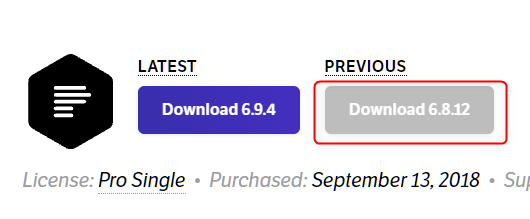
Thank you for reporting. Can you test out version 6.8.12? You can download it from your account.

image

Thanks.

Hello Christian,

I’ve confirmed that this does also happen with 6.8.12

I can’t be certain that this happened when 6.8.12 was in production/the latest version, but I can say that this has been happening for as long as I’ve been using Cornerstone.

Thank you for testing. I will forward this to our development team for investigation. Please stay tuned for updates.

Hello,

As a followup to this, it seems that it might be related to the page zoom–if you manually set Cornerstone’s zoom to something besides 100%, opening the “html” editor (or anything else that uses that editor, such as the custom code widget) or resizing the Cornerstone sidebar will reset the page to 100% zoom. If the page has enough width to actually display all 100%, then it scrolls down but doesn’t increase the editor’s height (in other words, the page still works fine aside from having to reset your zoom). If the page needs to be zoomed out to display the full page (such as viewing the XL breakpoint on a L-sized window), then it triggers this bug and the page becomes taller than the editor until you refresh the page.

Thank you!

Hey Andy,

Good to know that. I’ll forward your notes to our developers.

Cheers.